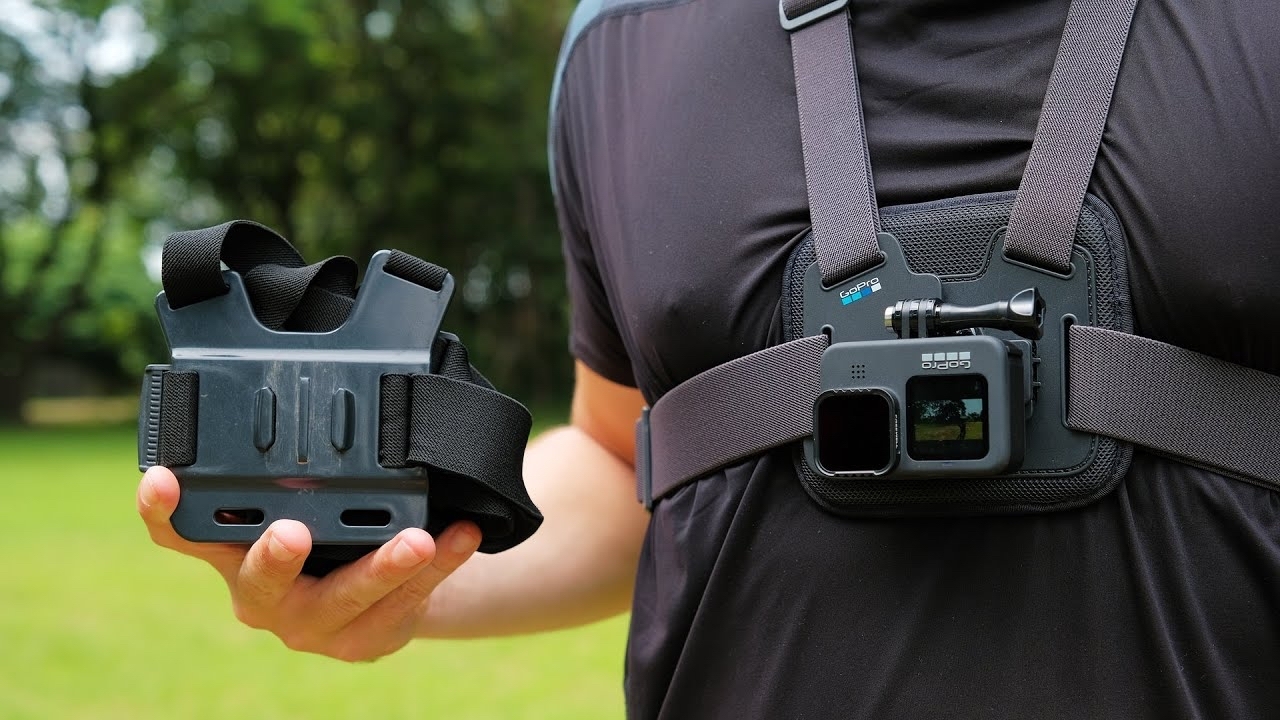
How to Use the GoPro Chest Harness
Capture immersive, hands-free, chest-level shots effortlessly with the GoPro Chesty. Follow these steps to get started.
Capture immersive, hands-free, chest-level shots effortlessly with the GoPro Chesty. Follow these steps to get started.
1
Step 1 of 12The Chesty harness is crafted for hands-free, chest-level shots, providing a stable and immersive perspective. It’s perfect for activities where you want to capture your view without holding the camera.
2
Step 2 of 12Your GoPro Chesty package should include:
- Chesty Harness (for mounting on your chest)
- Vertical Mounting Buckle (to attach the GoPro to the harness)
- Thumbscrew (to secure the GoPro to the buckle)
3
Step 3 of 12Mount the GoPro to the Buckle
- Attach your GoPro to the vertical mounting buckle using the thumbscrew for secure attachment.
4
Step 4 of 12Attach the Buckle to Chesty
- Connect the vertical mounting buckle (with GoPro attached) to the Chesty harness by snapping it in place.
5
Step 5 of 12Wear the Chesty Harness
- Put on the Chesty harness like a backpack by slipping the straps over your shoulders.
6
Step 6 of 12Secure the Harness
- Fasten the Chesty clip with a click to make sure the harness stays securely in place during activities.
7
Step 7 of 12Adjust for an Upside-Down Angle
- For a more versatile upward shot angle, especially useful for mountain biking, mount your GoPro upside down.
8
Step 8 of 12Lock Orientation
- Pro Tip: Lock the orientation or enable auto-orientation on your GoPro to ensure your shots stay upright.
9
Step 9 of 12Low-Profile Design
- The harness features a low-profile construction that remains snug and comfortable, even when wearing it under backpack straps—perfect for snow sports and other outdoor activities.
10
Step 10 of 12Capture Hands-Free Shots
- With the Chesty, you can capture immersive, hands-free shots directly from your chest, keeping your hands free for action.
11
Step 11 of 12Quick-Release Base
- The quick-release base allows you to easily switch mounts, even while wearing gloves, making it convenient for changing perspectives on the go.
12
Step 12 of 12Wrap Up and Prepare to Record
- Before recording, clean your GoPro lens and use the GoPro Quik app to frame your shot and ensure your setup is perfect for capturing your adventure.