
Record your screen or film yourself doing a task, the full process — just narrate each action and pause briefly between actions. Video Intelligence will create the steps for you.
Don't have a video yet? Try example video → When it opens, click "⋮" in the bottom right of the player → Download.
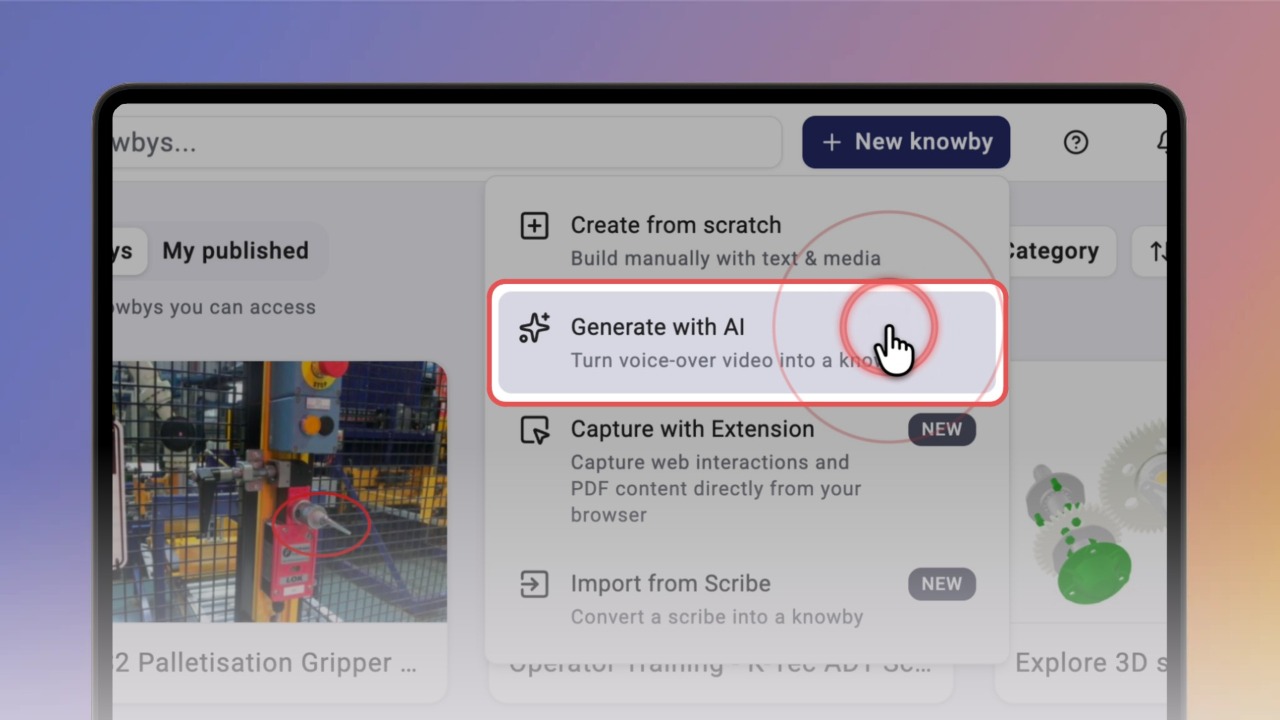
Click New knowby and select Generate with AI.
Good to know: Want to add AI-generated steps to a knowby you already have? See the “
Generate steps from a video ” guide.
Click Browse and choose your video (MP4, MOV or AVI, up to 500 MB).
Tip: Videos with a voice-over give the most accurate steps — the AI follows what you say. Videos with on-screen captions also work well. A video with no voice-over or captions works too, but the AI has to describe the steps from what it sees, so check them carefully.
Knowby generates your knowby — you’ll find it in My drafts with a Generating… label. Depending on the video length, it takes from under a minute to a couple of minutes. You’ll get a notification when it’s ready.
Open the knowby to review it. From your video, the AI created the cover, the title, the description and the text of every step — each matched to the right video fragment.
Good to know: Always review AI-generated steps before you publish. To fine-tune them, see the “
Edit an AI-generated knowby ” guide.