
Knowby
Vets Step by Step Guide how to add Farms and Users
1
Step 1 of 4
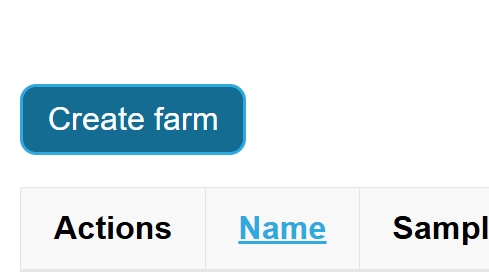
<h3><strong>Step 1: Create a Farm</strong></h3><ol><li><p>Select the <strong>Farm</strong> tab from the main menu.</p></li><li><p>You will see the farm overview page.</p></li><li><p>Click <strong>Create Farm</strong> to begin setting up your new farm.</p></li></ol><p></p>

Step 1: Create a Farm

  1. Select the Farm tab from the main menu.

  2. You will see the farm overview page.

  3. Click Create Farm to begin setting up your new farm.

2
Step 2 of 4
<h3><strong>Step 2: Enter Farm Details</strong></h3><ol><li><p>Fill out all the required fields on the <strong>Create Farm</strong> form.</p></li><li><p>Once all details are entered, click <strong>Create</strong> to save your new farm.</p></li></ol><p><strong>Tip:</strong> Double-check spelling and contact information to ensure accurate records.</p>

Step 2: Enter Farm Details

  1. Fill out all the required fields on the Create Farm form.

  2. Once all details are entered, click Create to save your new farm.

Tip: Double-check spelling and contact information to ensure accurate records.

3
Step 3 of 4
<h3><strong>Step 3: Add a User to the Farm</strong></h3><p>Before you can add someone to your new farm, they <strong>must already be registered</strong> at<br>👉 <a target="_blank" rel="noopener noreferrer nofollow" href="http://www.dairysmart.nz">www.dairysmart.nz</a></p><p>Once the user has signed up:</p><ol><li><p>Go to your newly created farm.</p></li><li><p>Click <strong>Add Person</strong></p></li></ol><p></p>

Step 3: Add a User to the Farm

Before you can add someone to your new farm, they must already be registered at
👉 www.dairysmart.nz

Once the user has signed up:

  1. Go to your newly created farm.

  2. Click Add Person

4
Step 4 of 4
<h3><strong>Step 4: Enter User Details</strong></h3><ol><li><p>Enter the user’s <strong>email address</strong> (the one they used to register).</p></li><li><p>Click <strong>Add</strong> to complete the process.</p></li></ol><p>Your new user will now be linked to the farm and have access as required.</p>

Step 4: Enter User Details

  1. Enter the user’s email address (the one they used to register).

  2. Click Add to complete the process.

Your new user will now be linked to the farm and have access as required.