Knowby SUPAWOOD
Knowby
Run a Program on the Micra Machine
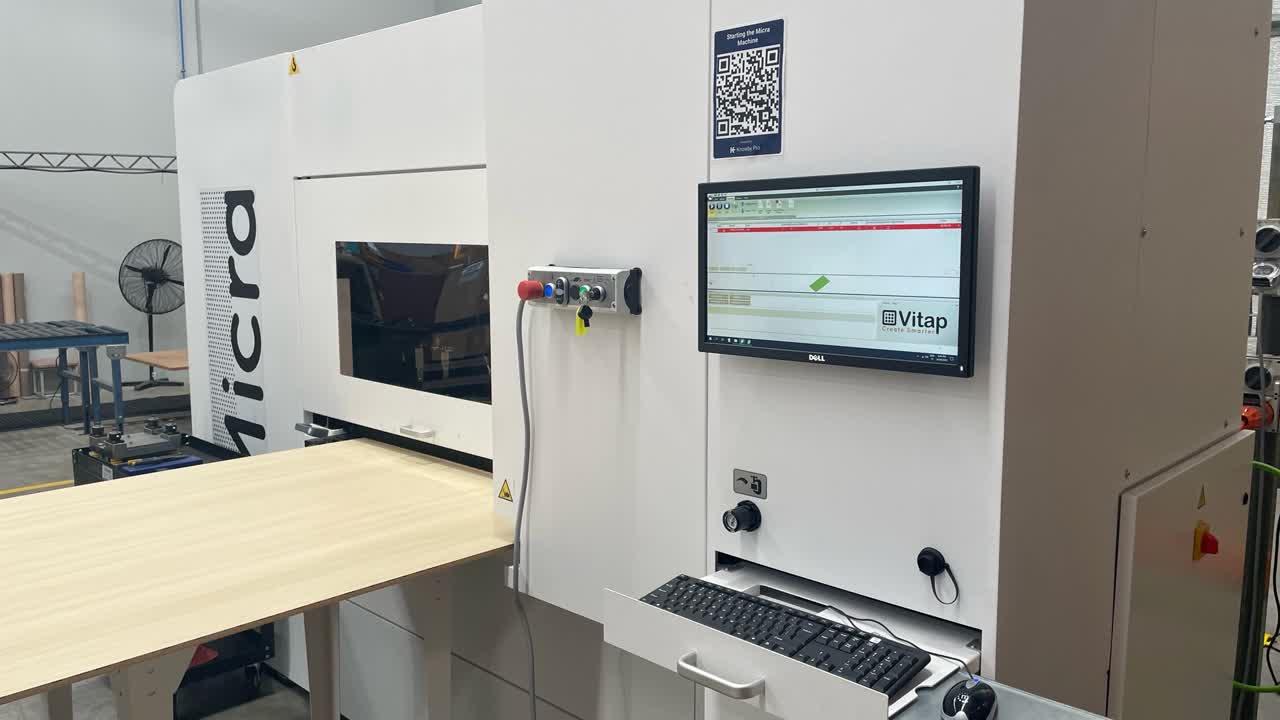
How to find, load & run a program on the microperf machine (Micra)
1
Step 1 of 14
<p>After you have completed the start up &amp; calibration process. Open the Edit tab at the top of the screen</p>

After you have completed the start up & calibration process. Open the Edit tab at the top of the screen

2
Step 2 of 14
<p>Click on New to open a new work list.</p>

Click on New to open a new work list.

3
Step 3 of 14
<p>Click in the Name field to add a program to the work list</p>

Click in the Name field to add a program to the work list

4
Step 4 of 14
<p>This will open the file location where individual programs are kept. Locate the program you need &amp; click Open. The program will preview in the window to the right.</p>

This will open the file location where individual programs are kept. Locate the program you need & click Open. The program will preview in the window to the right.

5
Step 5 of 14
<p>When opened the program will show in the Name field. You can also change the Repetition field to run multiple panels of this program.</p>

When opened the program will show in the Name field. You can also change the Repetition field to run multiple panels of this program.

6
Step 6 of 14
<p>By ticking the Forward Dischrge box the panel will eject from the back of the machine rather than returning to the original position</p>

By ticking the Forward Dischrge box the panel will eject from the back of the machine rather than returning to the original position

7
Step 7 of 14
<p>Open the Automatic Tab &amp; click the Start button</p>

Open the Automatic Tab & click the Start button

8
Step 8 of 14
<p>The program will begin an optimisation process this can take a few seconds to update. When the program is optimised the Work List will go red as seen in the above image.</p>

The program will begin an optimisation process this can take a few seconds to update. When the program is optimised the Work List will go red as seen in the above image.

9
Step 9 of 14
<p>Load the work piece into the machine by pushing it furthest to the right against the guide until it reaches the forward stop. The stop is located before the press.</p>

Load the work piece into the machine by pushing it furthest to the right against the guide until it reaches the forward stop. The stop is located before the press.

10
Step 10 of 14
<p>Push the button on the moveable guide on the left to enable it to be pushed across to secure the workpiece in place. Is is important this is as tight against the piece as possible.</p>

Push the button on the moveable guide on the left to enable it to be pushed across to secure the workpiece in place. Is is important this is as tight against the piece as possible.

11
Step 11 of 14
<p>Use your foot to engage the clamp by pressing down on the yellow foot pedal you will need to remove your foot to finalise engage process</p>

Use your foot to engage the clamp by pressing down on the yellow foot pedal you will need to remove your foot to finalise engage process

12
Step 12 of 14
<p>You will hear the clamp secure the board &amp; can check if the clamp is in place as per the above image</p>

You will hear the clamp secure the board & can check if the clamp is in place as per the above image

13
Step 13 of 14
<p>The green start button will be flashing. When you are sure the workpiece is secure press the green button &amp; the program will run. Note do not stand directly in front of the board whilst machining it can move in unexpected ways &amp; could cause injury.</p>
<p>Unload board when complete.</p>

The green start button will be flashing. When you are sure the workpiece is secure press the green button & the program will run. Note do not stand directly in front of the board whilst machining it can move in unexpected ways & could cause injury.

Unload board when complete.

14
Step 14 of 14
<p>To unload the board press the yellow foot pedal again to disengage the clamp. Remove the board</p>

To unload the board press the yellow foot pedal again to disengage the clamp. Remove the board