
Knowby
No Organisation Found – What to do
This guide explains what to do if you encounter the "No organisation found" screen during the sign-up process.
1
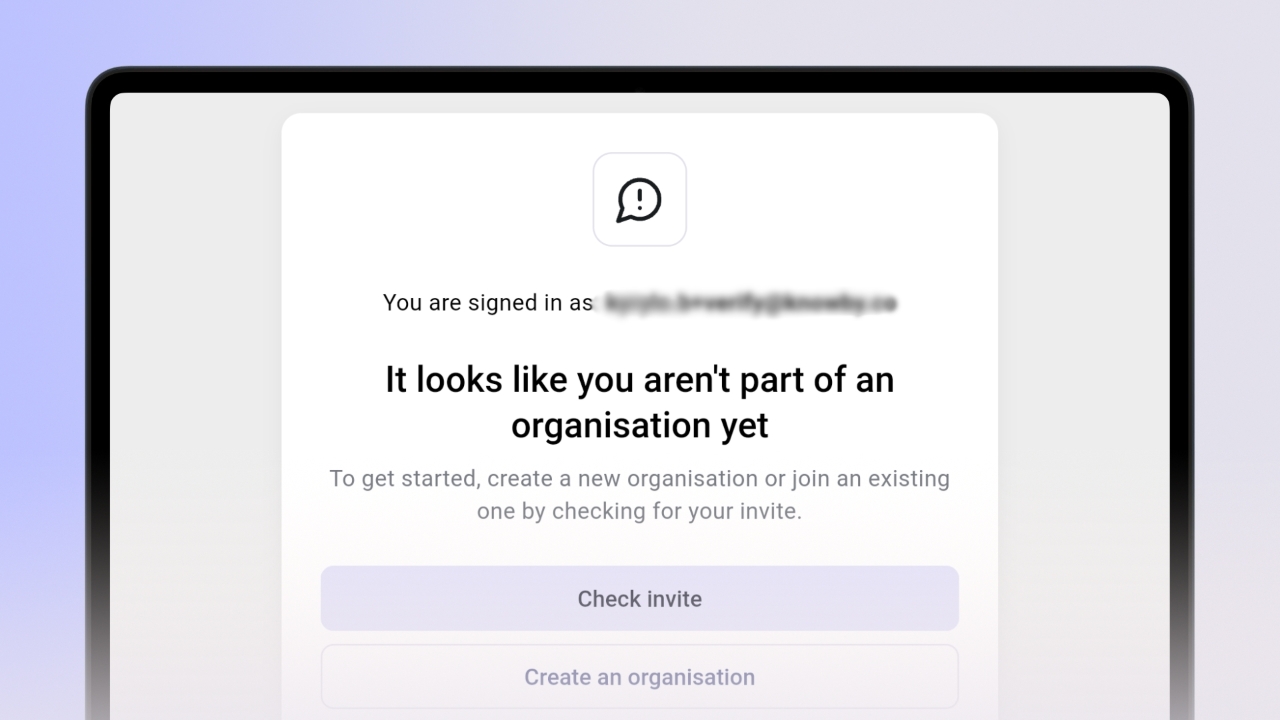
<p>Notice the message "It looks like you aren't part of an organisation yet" which appears after you provide your details during sign up.</p>

Notice the message "It looks like you aren't part of an organisation yet" which appears after you provide your details during sign up.

2
<p>Click the <strong>Check invite</strong> button to see if a colleague has already sent you an invitation to join their team.</p><p></p>

Click the Check invite button to see if a colleague has already sent you an invitation to join their team.

3
<p>If you are the first person from your team to join, click the <strong>Create an organisation</strong> button. </p><p>​</p><p>​<klink id="4772e6be-cb3c-48eb-80aa-156c50bf3e35" step-id="320ba0f0-61e2-407d-86e6-6ec6129ce502">See how to set up an organisation.</klink>​</p>

If you are the first person from your team to join, click the Create an organisation button.

See how to set up an organisation.

4
<p>If you believe there is an error, click the <a target="_blank" rel="noopener noreferrer nofollow" href="https://www.knowby.co/know-how/kb-tickets/new">contact support</a>.</p>

If you believe there is an error, click the contact support.