
How to change the headline on your Linkedin profile
Maximise the impact of your outreach by changing the headline on your Linkedin profile so that some key selling points show up in your messages
Maximise the impact of your outreach by changing the headline on your Linkedin profile so that some key selling points show up in your messages
1
Step 1 of 6Navigate to your Linkedin profile https://www.linkedin.com/in/thomas-martin-183a3051/
2
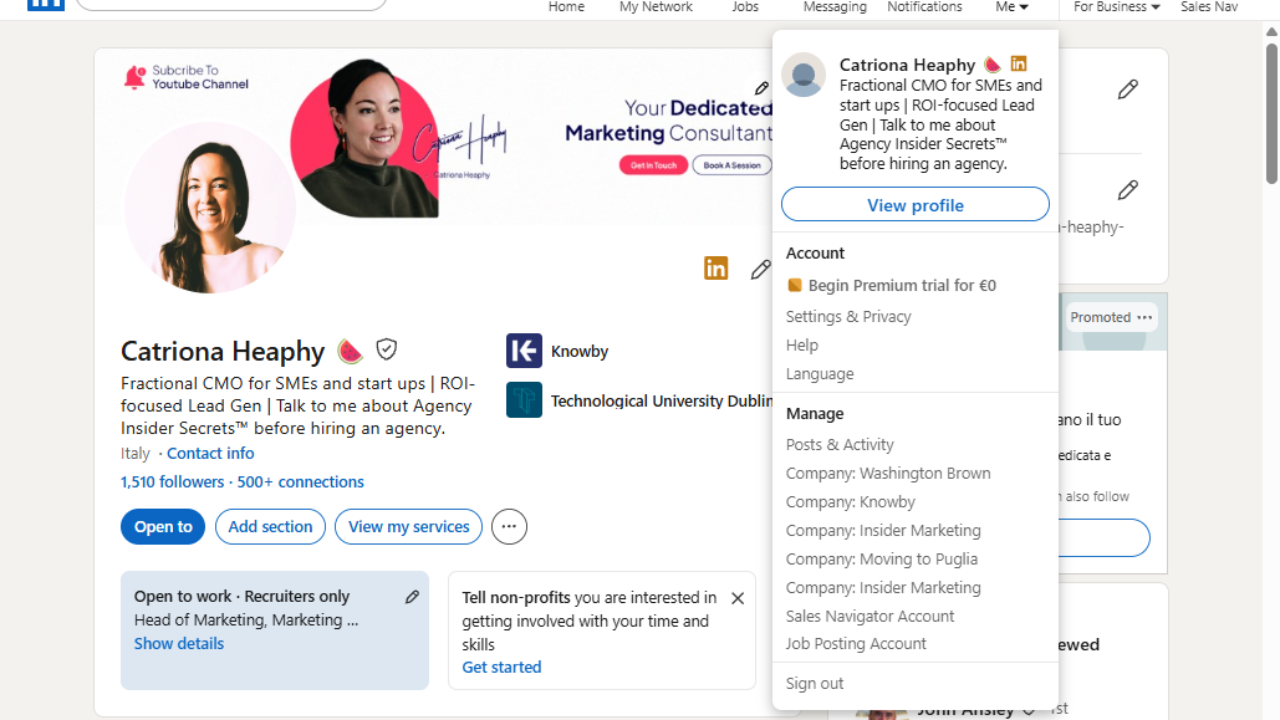
Step 2 of 6
Click "Me".
3
Step 3 of 6
Click "Settings & Privacy".
4
Step 4 of 6
Click "Name, location, and industry".
5
Step 5 of 6
A pop will appear and once you see this, Click "Headline".
Here are some options:
ex-Essilor GM, ex-Bausch + Lomb, ex-Allergan | Medical device industry expert turned Independent Consultant
Medical Device Industry Expert turned Independent Consultant | ex-Essilor GM, ex-Bausch + Lomb, ex-Allergan
6
Step 6 of 6
Click "Save".