
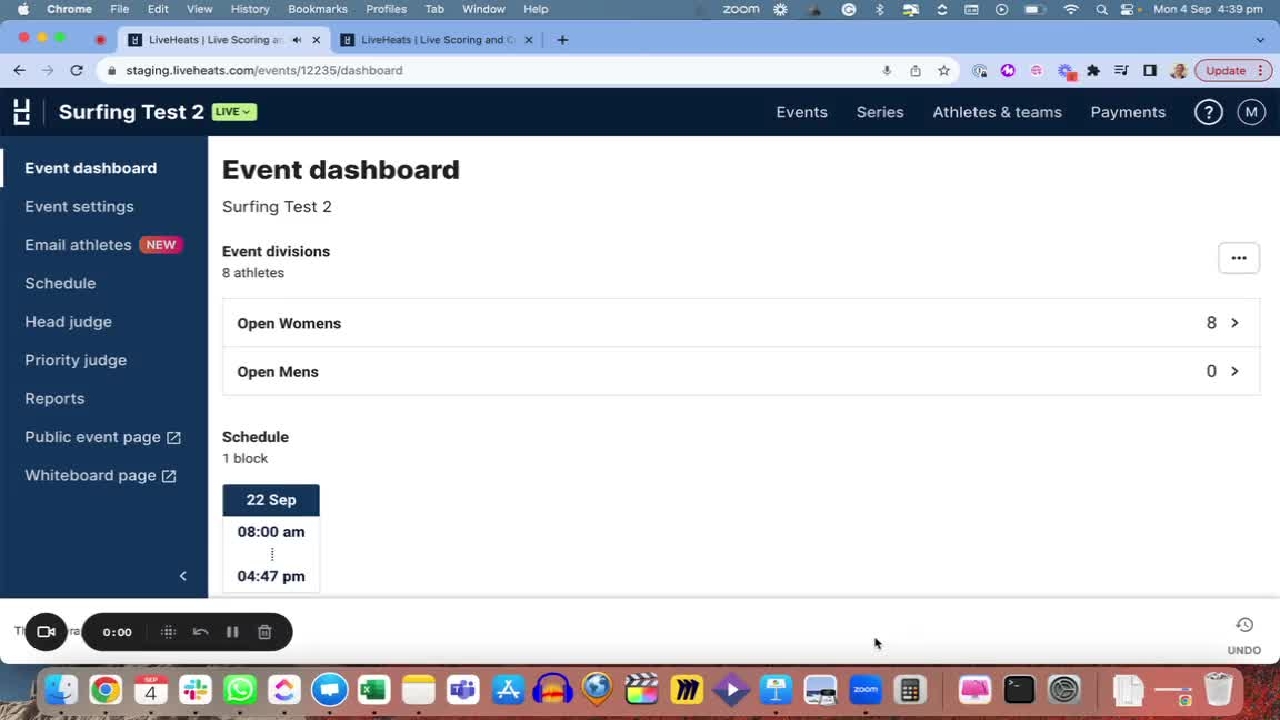
How to Have Your Results Appear in Your Rankings
Hey, everyone. Mackenzie from LiveHeats. And today we're going to be running through how to have your results appear in your rankings if you're running a series with us.
Hey, everyone. Mackenzie from LiveHeats. And today we're going to be running through how to have your results appear in your rankings if you're running a series with us.
1
Step 1 of 13Hey, everyone. Mackenzie from LiveHeats. And today we're going to be running through how to have your results appear in your rankings if you're running a series with us.
2
Step 2 of 13So firstly, we want to make sure that we have a series set up for these results to go to. You can do this after the fact, but we would advise you to do it before.
3
Step 3 of 13We can see here that I have a 2023 series with these particular divisions in it.
4
Step 4 of 13You can have multiple series, if I wanted to create another, and more than one can be linked to an event.
5
Step 5 of 13So to make sure we've done that correctly in our event here marked as live, we would go to the event settings just to make sure that this series is linked in here.
6
Step 6 of 13If that's done correctly, we can mark these results as complete, and you'll see in the series under the correct division, those results will have come over grayed out.
7
Step 7 of 13Now, this will not change until the results have been published. So if I mark it here as results published, and go back to my series under the division, you can see that this has now been ungrayed, and so these will be final results.
8
Step 8 of 13On the public event page, if I was to go there, it would look a little bit different, and you can see open women's, and if I'm to click here, it would show me the placing, the points, and the name of the events.
9
Step 9 of 13Now, you can have different points allocations, and this can be set up by us on LiveHeats.
10
Step 10 of 13So if you follow through the Help Center and find the article about admitting different points to your rankings, you can actually have a custom point score to whichever it may be, and we can set up multiple point score allocations for different events.
11
Step 11 of 13We'll do also offer a multiplier. So if you wanted to have one event count for more results or more points, I should say, you can do this in the event settings under the rankings and leaderboard section.
12
Step 12 of 13You can multiply your events here to have it worth two times, five times, whichever it may be.
13
Step 13 of 13Thank you for tuning in and we hope this is valuable. Thanks.