Knowby
R-Knowby
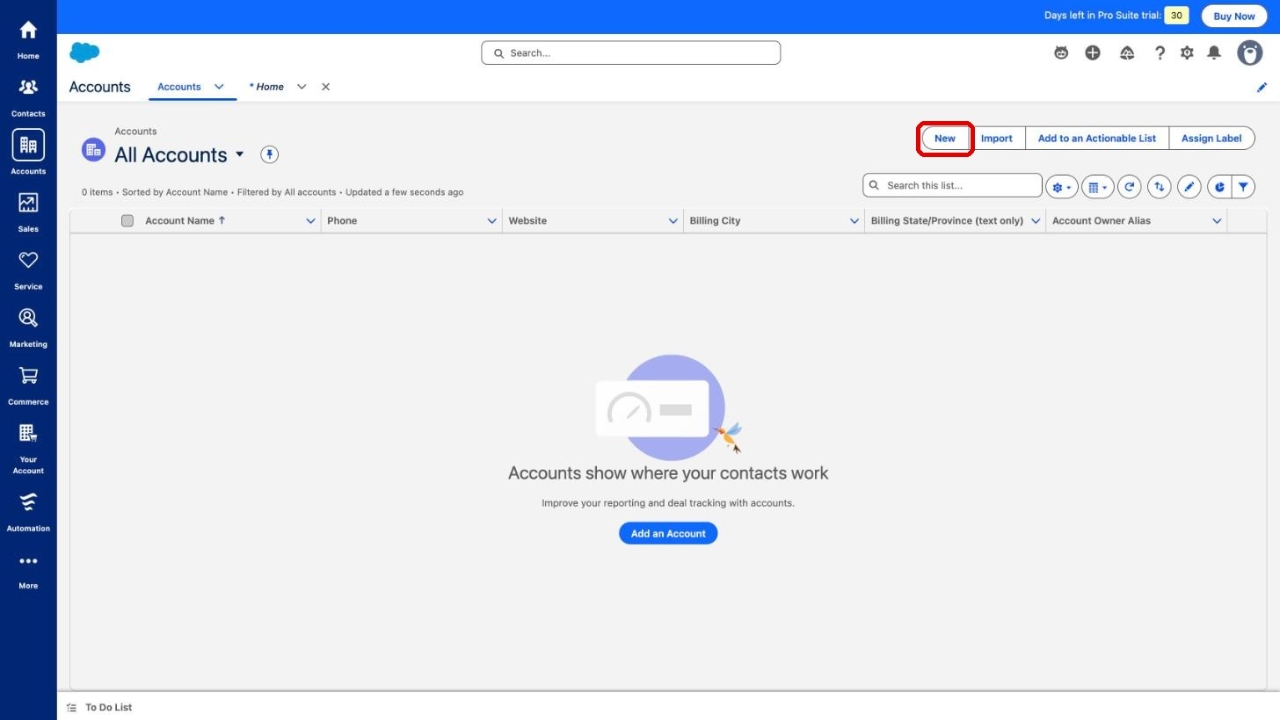
How to create a new company (Account) in Salesforce
Add a new company to Salesforce as an Account record in Lightning Experience.
Add a new company to Salesforce as an Account record in Lightning Experience.
1
Step 1 of 5
Open the Accounts tab in the navigation bar to see the list of all accounts.
2
Step 2 of 5
Click New in the top-right corner of the Accounts list.
3
Step 3 of 5
Enter the company name in the Account Name field. This is the only required field.
4
Step 4 of 5
Fill in the other company details as needed: Website, Type, Description, Parent Account, Phone and Billing Address.
5
Step 5 of 5
Click Save to create the company. Use Save & New if you want to add another company right away.