
Find your drafts and knowbys with changes requested
See the knowbys you're still working on, the ones waiting for approval, and the ones an approver sent back to you.
See the knowbys you're still working on, the ones waiting for approval, and the ones an approver sent back to you.
1
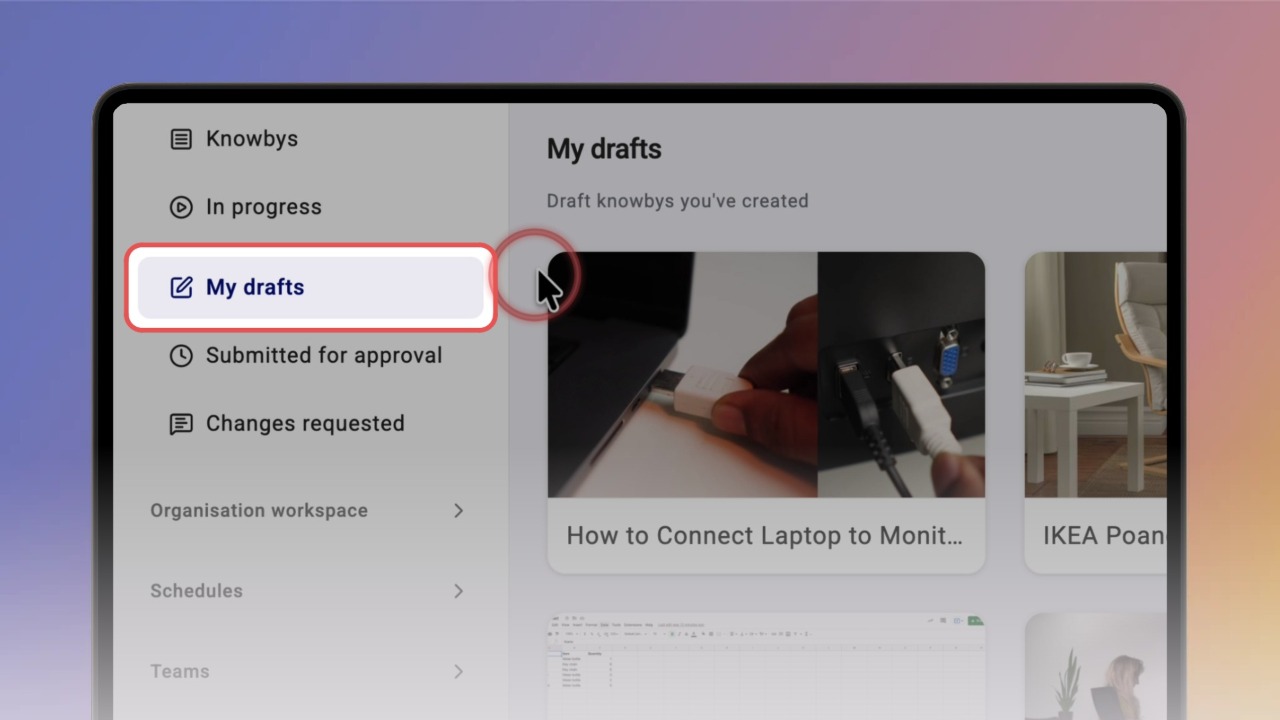
Step 1 of 7In the left menu, click My drafts. You'll see every knowby you've created that isn't published yet.
2
Step 2 of 7Click a draft to open it. Only you can see a draft — when it's ready, click Publish it in the banner to send it for approval.
3
Step 3 of 7Click Changes requested to see knowbys an approver has sent back to you.
4
Step 4 of 7Open a knowby to read the approver's comment at the top.
5
Step 5 of 7Click Submitted for approval to see knowbys waiting for review.
6
Step 6 of 7Changed your mind? Click ⋯ on the card and choose Revoke from approver to withdraw it from review.
7
Step 7 of 7On a knowby with changes requested, click ⋯ and choose Edit to make the changes, then Publish to submit it again.