
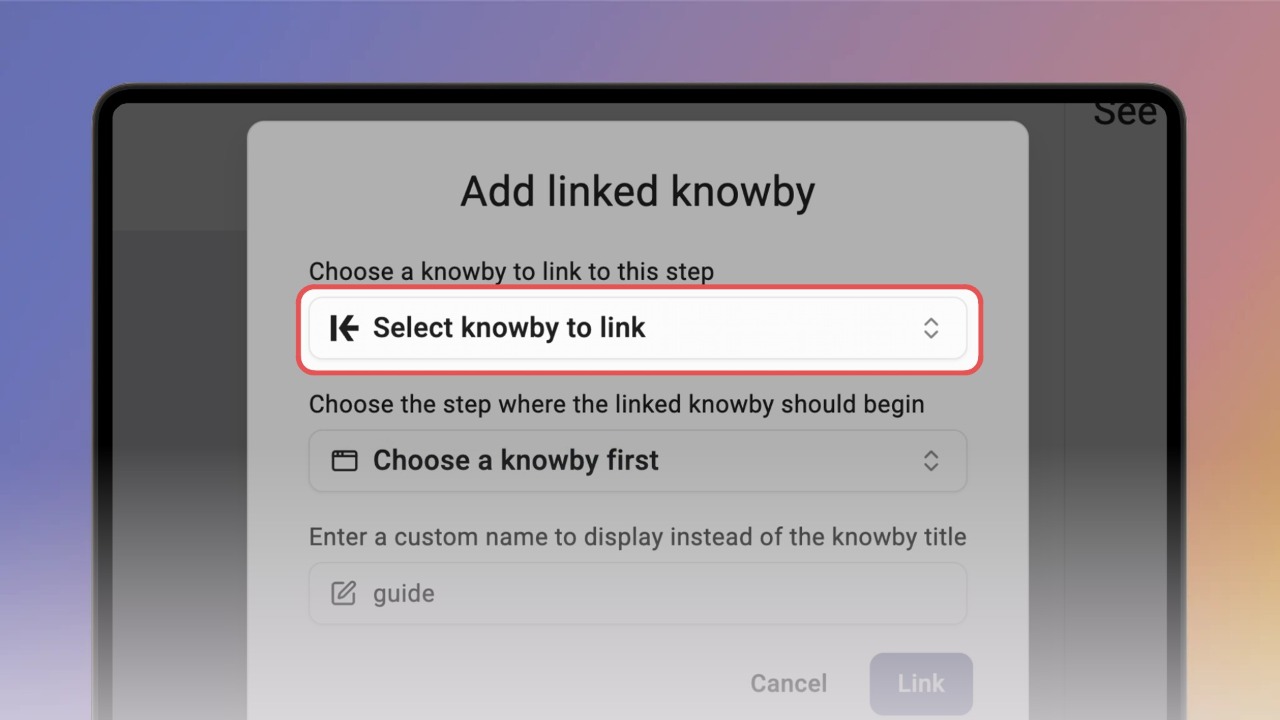
You can link to other knowbys directly inside a step — useful when a step touches on something covered in more detail elsewhere, so you don't have to repeat it.
For example, a step might mention a setting you've already explained in another guide — instead of writing it all out again, you can just link to that knowby.
While creating or editing a knowby, go to the Steps tab and click the K icon on the formatting bar — this is the Link Knowby button.
Clicking the icon opens a pop-up where you:
Select a knowby to link to
Choose a step within that knowby
Optionally set custom display text, if you don't want to show the knowby's title
Once added, the linked knowby appears as a clickable link in your step.
To turn existing text into a link, highlight the word or phrase first, then click the K icon — your selection is carried over as the display text in the pop-up.
Search for or choose the knowby, select the step, and click Link.
The text inside a linked knowby is editable — any changes update both the visible link and the display text shown in the pop-up.
💡 To edit a link later, click it, then click the K icon again to reopen the pop-up with its current values.
When someone views the knowby, the link appears exactly where you placed it, and clicking it opens the selected step of the linked knowby.
Easy navigation at the top shows both the current knowby and the one they came from — clicking the name or using the back arrow returns them to the previous knowby.

You can add as many linked knowbys to a step as you like — as part of a paragraph, in a bullet or numbered list, or on their own line.
Link Knowby also works in Public View, if the knowby is shared publicly:
If the linked knowby is also public, users are taken straight to it
If it's not public, users will see a 404 page, since they don't have permission to view private knowbys
💡 Not sure how to make a knowby public? See the
Make a knowby publicly viewable →