
How To Copy Favorites
This knowby will guide you on how to transfer your T-codes from one system to another.
This knowby will guide you on how to transfer your T-codes from one system to another.
1
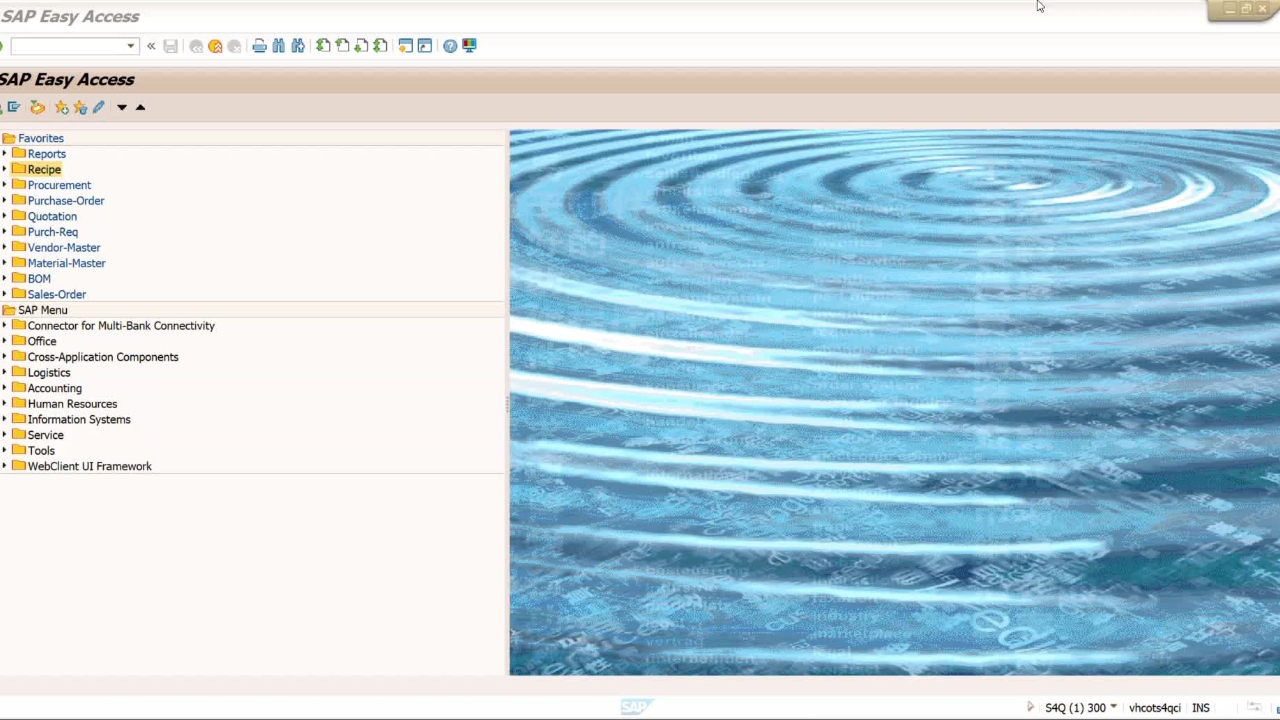
Step 1 of 4This is the S4Q system which is the source for my favorites. I have all these T-codes saved in this system, and I want them to be copied to S4S system.
2
Step 2 of 4This is the Target system, as my favorites are empty in this system. I want to copy all my favorites in this system.
3
Step 3 of 4I'll go back to my Source system (S4Q) navigate to Favorites, and download to PC.
4
Step 4 of 4Go to your Target system (S4S) and navigate to Favorites, Upload from PC. Select the file you downloaded from Source System (S4Q). Should prompt you "Do you want to grant access to this file".
If you already have favorites in you S4S system it will prompt "how do you want to insert you favorites?"
click Insert.