
Knowby
How to reset your DairySmart password
If you have forgotten your password, follow these steps to reset
1
Step 1 of 6
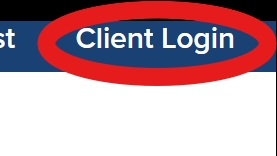
<ul><li><p>Open your web browser.</p></li><li><p>Go to <a target="_blank" rel="noopener noreferrer nofollow" href="http://www.dairysmart.nz"><strong>www.dairysmart.nz</strong></a>.</p></li><li><p>On the <strong>right-hand corner</strong> of the page you will see <strong>"Client log in"</strong>.</p></li><li><p>Click <strong>Client log in</strong>.</p></li></ul><p></p>
  • Open your web browser.

  • Go to www.dairysmart.nz.

  • On the right-hand corner of the page you will see "Client log in".

  • Click Client log in.

2
Step 2 of 6
<ul><li><p>On the sign in page, scroll to the bottom.</p></li><li><p>Click <strong>“Forgot your password?”</strong></p></li></ul><p></p>
  • On the sign in page, scroll to the bottom.

  • Click “Forgot your password?”

3
Step 3 of 6
<ul><li><p>Enter your <strong>email address</strong>.</p></li><li><p>Click<strong> Send verification code</strong></p></li></ul><p></p>
  • Enter your email address.

  • Click Send verification code

4
Step 4 of 6
<ul><li><p><strong>Check your email for a verification code.</strong></p></li><li><p>Once you have the code, <strong>enter it into the “Verification code” box</strong>.</p></li><li><p>Click <strong>“Verify code.”</strong></p></li></ul><p></p>
  • Check your email for a verification code.

  • Once you have the code, enter it into the “Verification code” box.

  • Click “Verify code.”

5
Step 5 of 6
<p>Once it says <strong>“Email verified,” click Continue.</strong></p>

Once it says “Email verified,” click Continue.

6
Step 6 of 6
<ul><li><p>Create your <strong>new password</strong> and confirm it.</p></li><li><p>Click <strong>Save</strong> or <strong>Continue</strong> to finish the reset.</p></li><li><p><strong>You will now be logged in with your new password and ready to go again!</strong></p></li></ul><p></p>
  • Create your new password and confirm it.

  • Click Save or Continue to finish the reset.

  • You will now be logged in with your new password and ready to go again!