
Navigate to the Health & Safety portal on SharePoint.
Click on the green 'Induction Portal' tile.
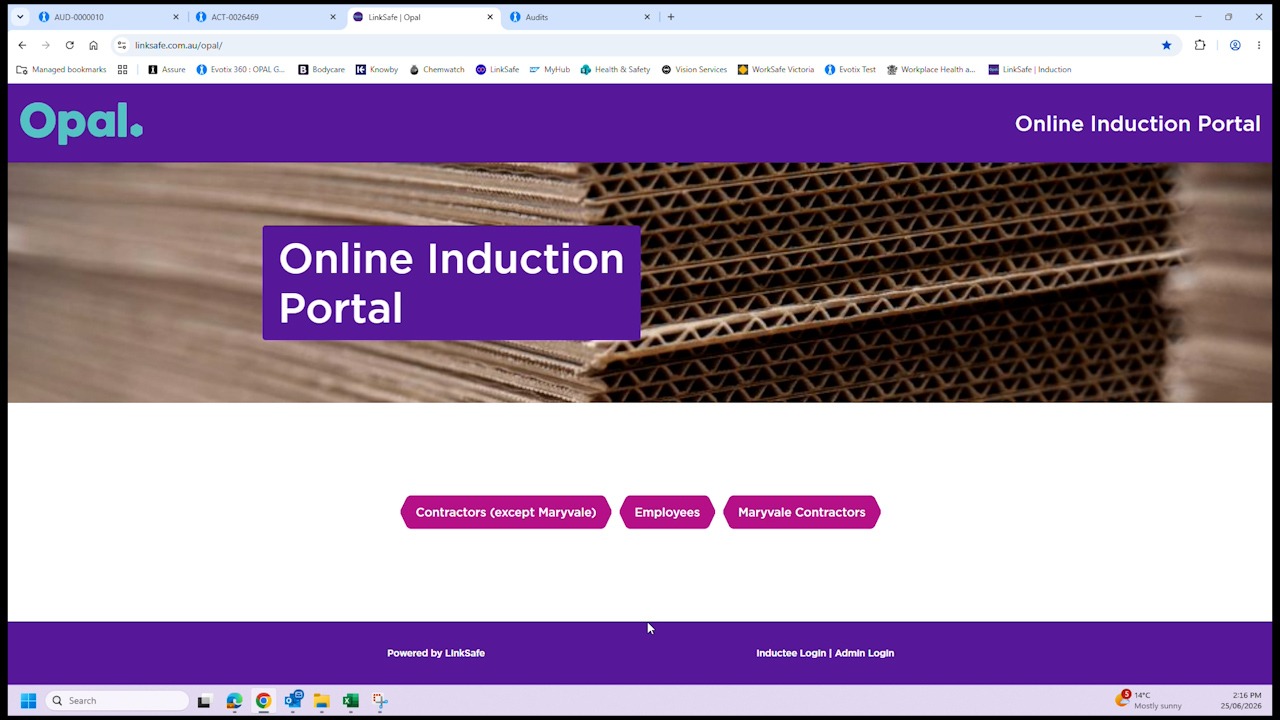
On the Opal Induction Portal landing page,
click on the 'Employees' button
click on 'Employee Registration'
Click on 'Get started now'
enter employee's email address; click 'Next'.
The employee will receive an authentication code via email.
Enter the authentication code and then click 'Confirm'.
Enter employee's name and mobile phone number; click 'Next'.
A verification code will be sent to the employee's mobile phone.
Enter the verification code then click 'Verify'.
In the 'Trade Type' text field, select 'Opal Employee' from the drop list.
Enter an Emergency Contact name and phone number
Upload or take a photo.
Enter a password and then click 'Continue'.
Note: Password must be at least 8 characters and include at least one number and one special character.
Read the course instructions and then click 'Get started now'.
Attached relevant licenses if required.
Note: Attaching licenses is optional.
On the Employee Induction Program page, click next to begin induction.
Note: Click player on top left of window if you wish to hear audio. A course progress bar is displayed at the bottom of the window.
When the induction is completed, click finish.
The employee will receive an email with their ID card attached.