
Use the top bar
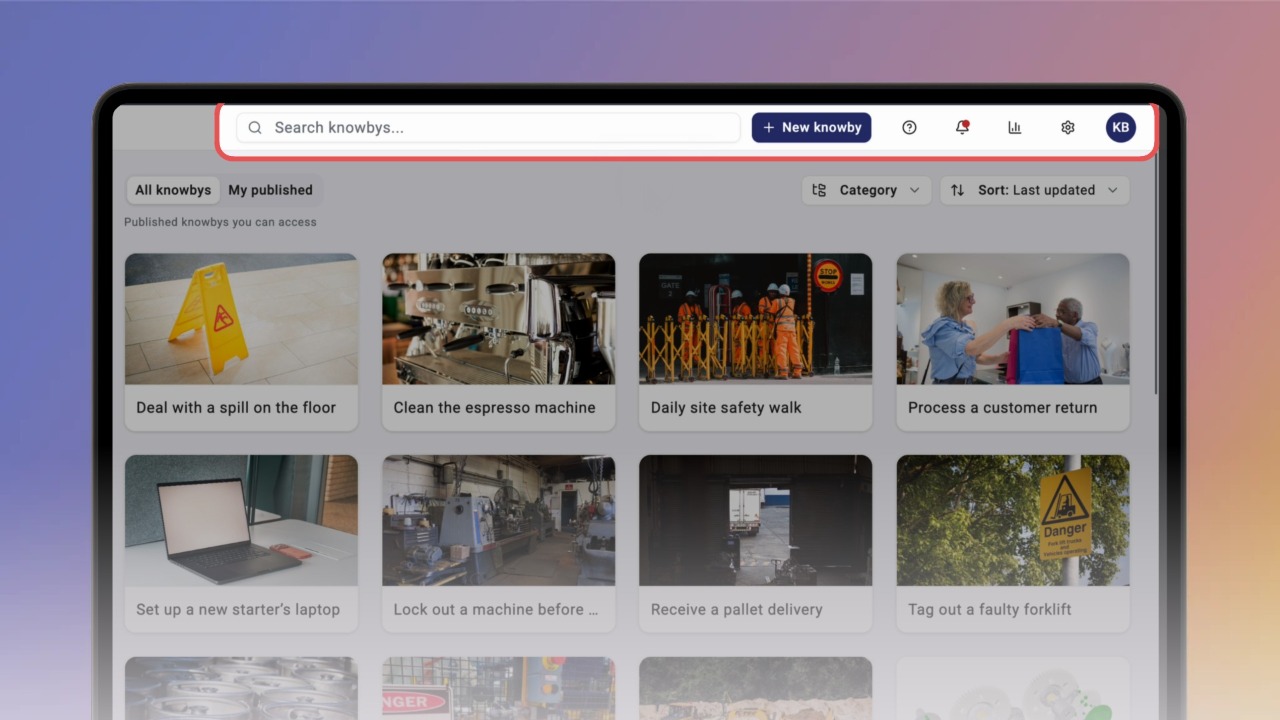
The top bar holds the tools you use most: create a knowby, check reports, open tutorials, see notifications, and manage settings and your profile.
The top bar holds the tools you use most: create a knowby, check reports, open tutorials, see notifications, and manage settings and your profile.
1
Step 1 of 5Click New knowby to start a new knowby. The menu offers three ways to create one: Create from scratch, Generate with AI and Capture with Extension.
2
Step 2 of 5Click the Reports icon (chart) to open the Organisation Dashboard. Click ← Home to go back.
3
Step 3 of 5Click the ? icon to open Knowby Tutorials, built-in step-by-step help in a side panel. Click X to close it.
4
Step 4 of 5Click the bell icon to open Notifications, where you see updates about knowbys and users. Click X to close the panel.
5
Step 5 of 5Click the gear icon to open Settings, where you manage your organisation, starting with Users.
Then click your avatar to open your account menu: Profile, Change Theme, About and Log out.