Knowby
Dairy Systems
Milkroom
Knowby created from browser extension capture session at 14/08/2026, 13:13:51
Knowby created from browser extension capture session at 14/08/2026, 13:13:51

2
Step 2 of 10
Click here.
3
Step 3 of 10
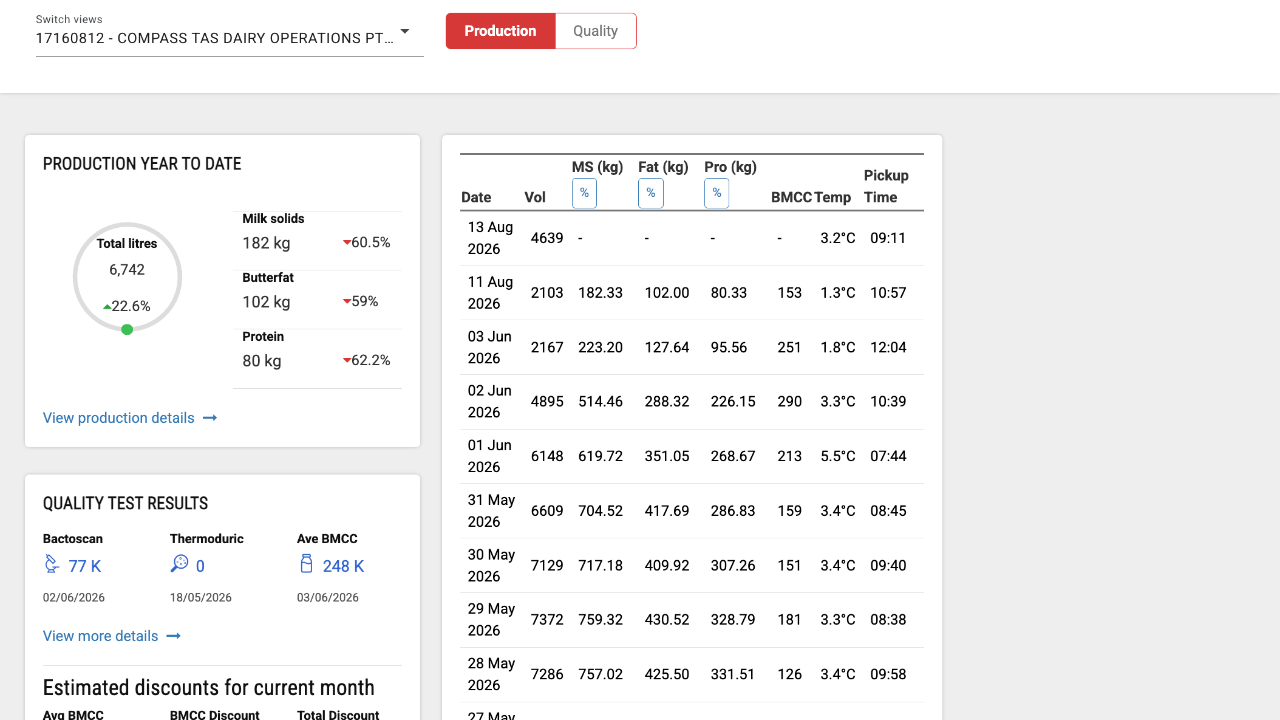
Click "17166810 - COMPASS TAS DAIRY OPERATIONS PTY LTD - W".
4
Step 4 of 10
Click "View production details".
5
Step 5 of 10
Click these 5 check boxes.
solids %, fat %, Protein %, Lactose % and BMCC
6
Step 6 of 10Pull all new data from this season only (even if few data points) and graph them with the X axis time.
Add and extra graph of protein %/ fat %
Build the graph without asking permission.
Make the graph exportable.
7
Step 7 of 10
Now go to willyweather.com.au
Click "Enter Location or Postcode".
8
Step 8 of 10
Enter: "OUSE"
9
Step 9 of 10
Click "Southern
Ouse, TAS 7140".
10
Step 10 of 10Pull the daily average forecasted temperature for the next week and again graph it with the X axis time.
Do this without asking permission.
Make the graph exportable.