
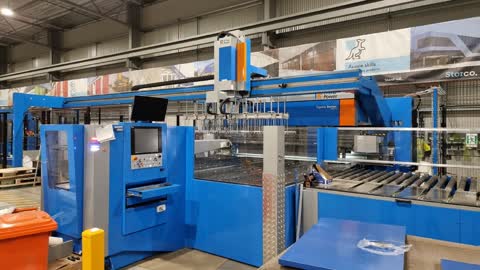
Turn on the main switch on the back of the machine in a clockwise direction and wait 2 to 3 seconds. Then push the blue safety button to the left on the wire gate
As you walk north along the machine push the blue safety button on the rear wall panel and on the gate for the north of the electrical box
Walk around to the loading gate make sure it is closed and push the blue button on the box at the loading gate
Walk to the control panel and press any button on the keypad and type in the password "london" and the hit "enter"
This screen will automatically come up and wait until the red box becomes green
Once the bar has become green double click on the tulus icon. This can be done by double clicking the screen or using the mouse. It will take a minute or so for Tulus to load.
Press the reset button
Press the safety restore button and then the hydraulic unit button. Wait until it stops flashing before the next step.
Select "manual" and then to the lower left of manual select "Axis" and then to the right hand side of the screen select "Reference Axes."
Once the Reference axis is complete, the blue box will pop up in the centre of the screen now push the "start" button.
If the machine does not start correctly at this stage push the reset button again and then double click the reference axis button again
Make sure the machine is in manual mode . Select the warm up mode and press start.
Press the automatic button and make sure all the globes on the left-hand side of the list showing on the screen are black and white.