Knowby Sculptform
Knowby
Golden square property investment interest Journal
1
Step 1 of 5
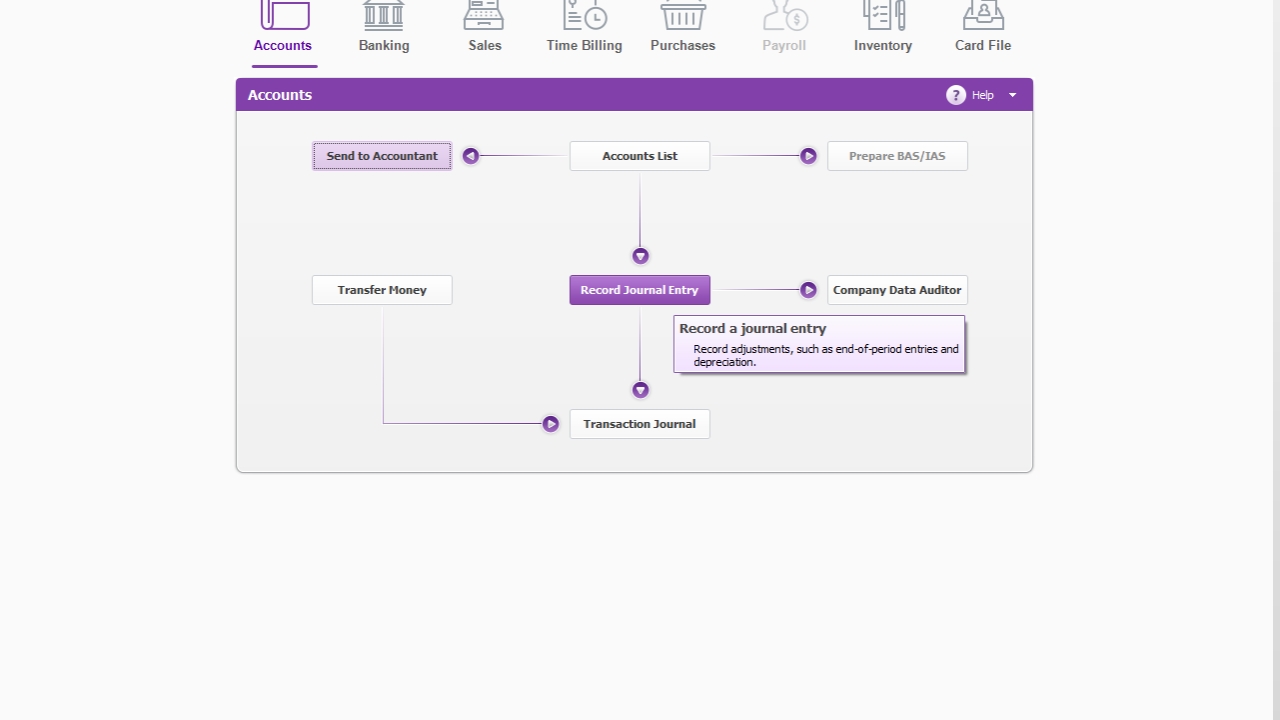
<p>Golden Square Property - Interest Calculation/Journal/Reconciliations Loan accounts</p><p></p><p>Click Record Journal entry</p>

Golden Square Property - Interest Calculation/Journal/Reconciliations Loan accounts

Click Record Journal entry

2
Step 2 of 5
<p>Click Use recurring </p><p></p><p>Click select Change date to EOM date (E.g. 30.09.2024) Update the figure as per excel sheet Golden Square Property Loan.xlsx</p>

Click Use recurring

Click select Change date to EOM date (E.g. 30.09.2024) Update the figure as per excel sheet Golden Square Property Loan.xlsx

3
Step 3 of 5
<ul><li><p>Click Record.</p></li></ul><p></p>
  • Click Record.

4
Step 4 of 5
<ul><li><p>We must do a journal in GSP MYOB as well</p></li><li><p>Open GSP MYOB</p></li><li><p>Recurring journal is set up every month.</p></li><li><p>Interest income journal - Update the figure as per Excel sheet</p></li><li><p>Sculptform Asset financing Journal - Recurring journal has been created, so you don’t have to do anything (4,463,89)</p></li></ul><p></p>
  • We must do a journal in GSP MYOB as well

  • Open GSP MYOB

  • Recurring journal is set up every month.

  • Interest income journal - Update the figure as per Excel sheet

  • Sculptform Asset financing Journal - Recurring journal has been created, so you don’t have to do anything (4,463,89)

5
Step 5 of 5
<h1>Reconcile loan account </h1><p></p><p>Match with Excel sheet figure with both AU MYOB (Account 1-6626 &amp; 2-9790) &amp; GSP MYOB (1-1500 &amp; 2-2000)</p>

Reconcile loan account

Match with Excel sheet figure with both AU MYOB (Account 1-6626 & 2-9790) & GSP MYOB (1-1500 & 2-2000)