
Track knowby changes
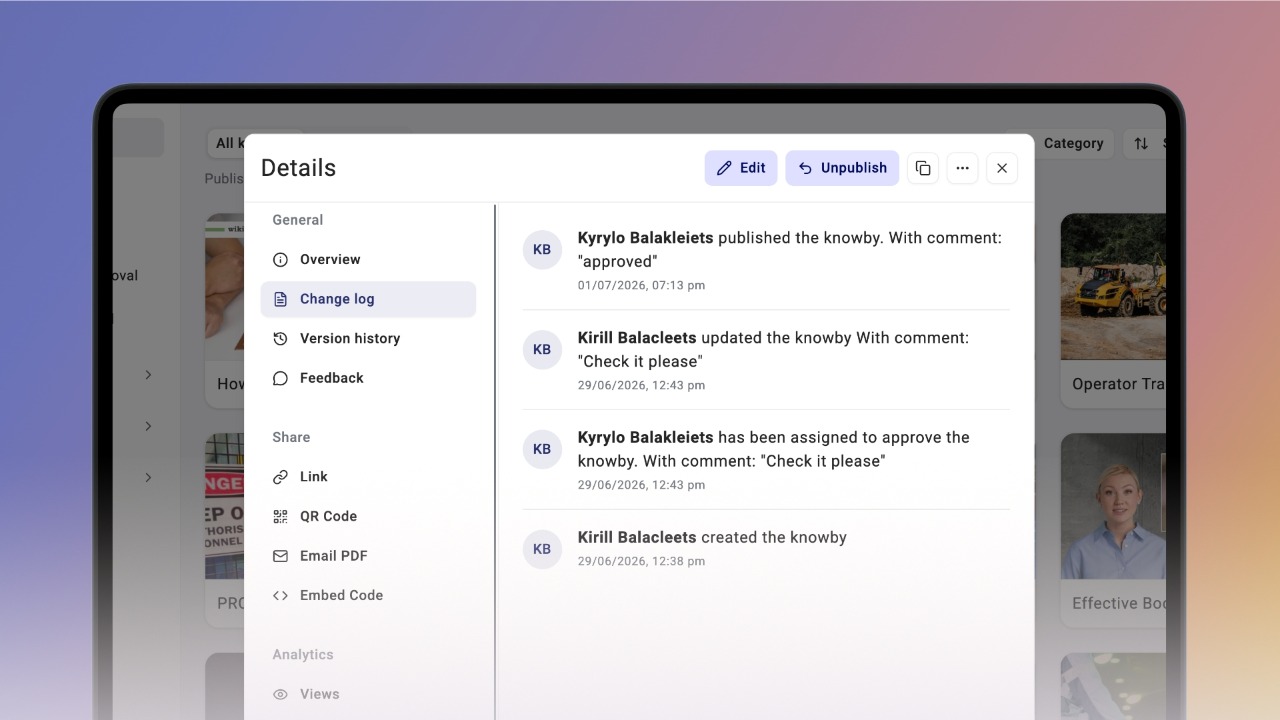
Every knowby has a Change Log that tracks edits, approvals, and status changes — so you always know what's happened and when.
Every knowby has a Change Log that tracks edits, approvals, and status changes — so you always know what's happened and when.
1
Step 1 of 3Every knowby keeps a Change Log of all its edits, so you can see exactly what's changed and when.
To open it, click the three-dot menu on the knowby card and select Change Log.
Alternatively, open Knowby Details and click Change log in the right-hand navigation panel.
2
Step 2 of 3You can open the Change log from any approval status — whether the knowby's in Draft or Awaiting approval — so you're always up to date on what's happened with it.
3
Step 3 of 3The Change log records everything — unpublishing, approvals, change requests, and edits — all in one place, including any comments left along the way.