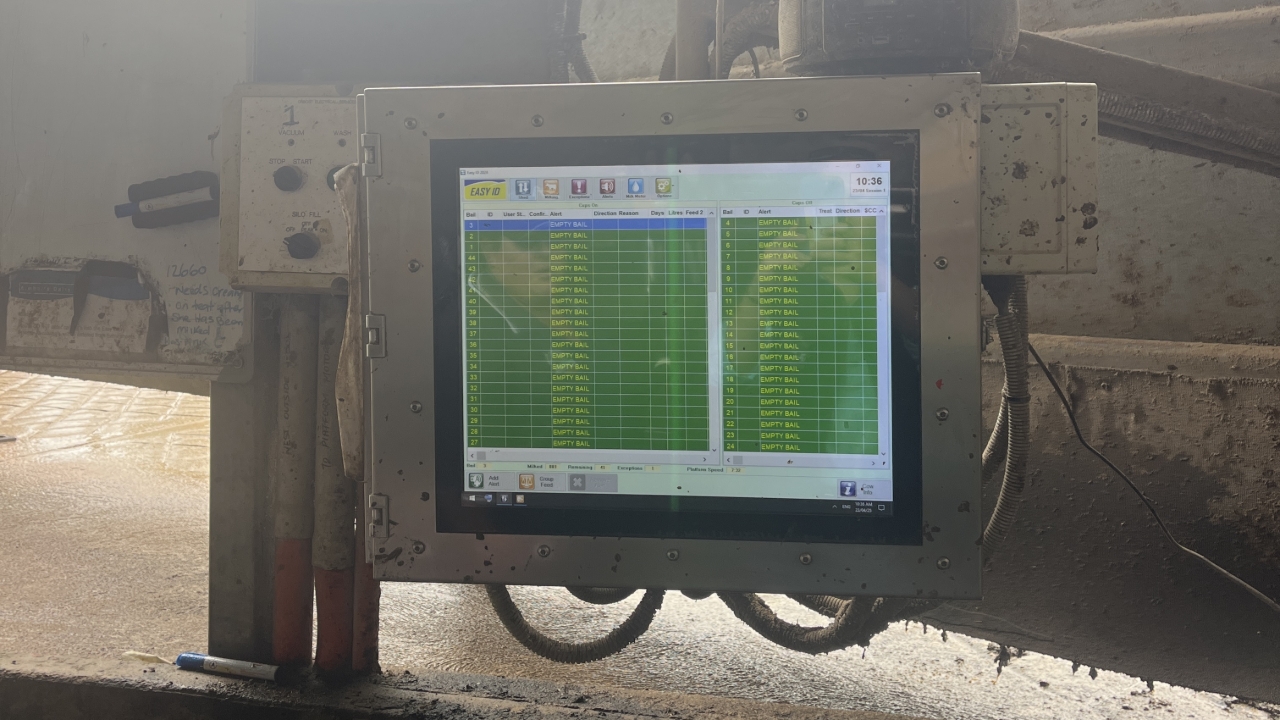

Make sure computer is on and Easy ID is open.
Select the Easy ID top left corner. This is Draft Screen.
Go to bottom left corner and select Add Draft.
On the pop up screen, type in the cows numbers on the right side.
These numbers come from the white board next to cups on computer.
Make sure to only enter cows with same draft together (all AI/ KM).
ie. All Kmar (KM)/AI (K) cows will be drafted right. Lame/ Mastitis cows draft Left.
NOTE: Unless told otherwise.
Once number is typed in, press ENTER after each cow.
After all cows are entered, press "CONTINUE' and another pop up screen will appear.
Set Draft Details
Depending on which way you are drafting the group/ cows ensure the Left or Right button is highlighted blue.
Enter Reason
Type AI/ Kmar in reason section then press CONTINUE.
Then press SAVE.
The screen should show the Draft screen.
Click the top green box 'TO DRAFT'. This will show if the cows you have drafted is saved.