
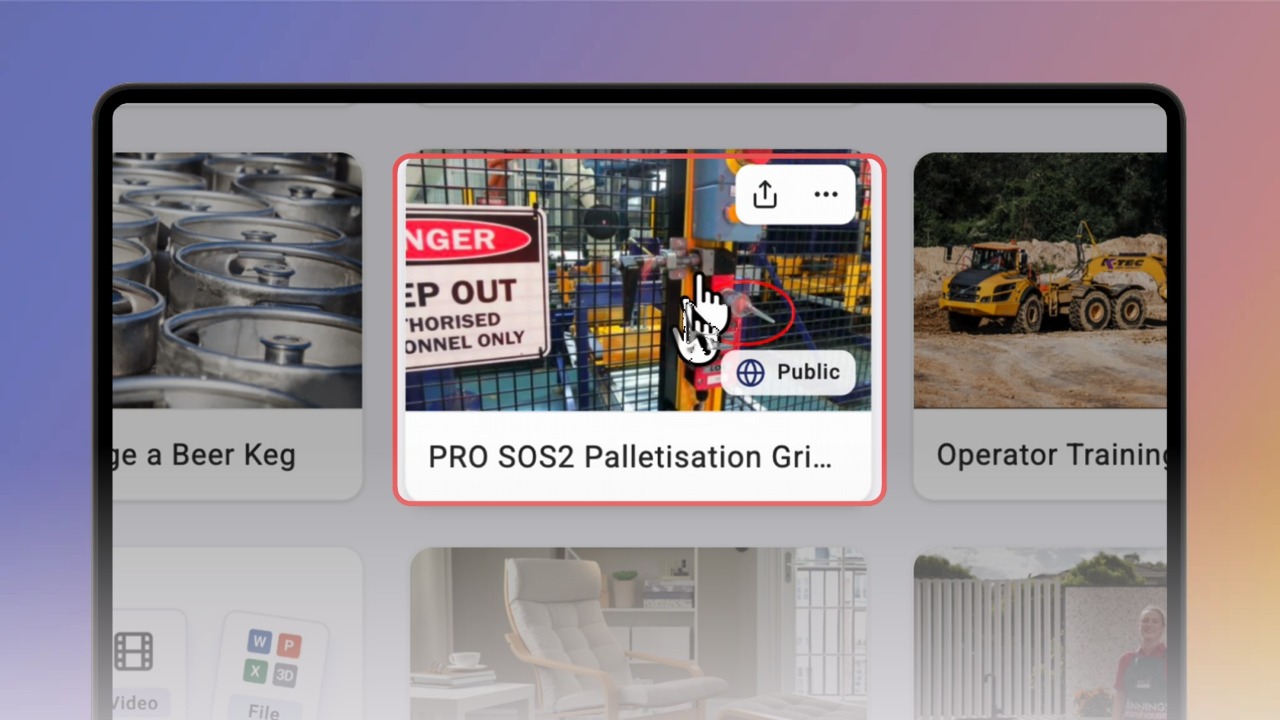
Hover over a knowby card and click Share. The options depend on the knowby's access level: a private knowby offers Share Internal Link and Internal QR Code; a public knowby offers Share Link and Share QR Code, each with Public and Internal options.
Click the three-dot menu on a card to see more actions, such as Details, Edit, Duplicate, Change editor, Version history, Feedback, Change log and Completions. The actions shown match the knowby's current status.
Click a card to open the knowby. You can hide or show the thumbnail panel on the left, and switch between Slide mode and Scroll mode.
Open the three-dot menu and click Details to open Knowby Details. Use the Overview, Change log, Version history and Feedback tabs to see the knowby's info and history.
In Knowby Details, use the Link, QR Code, Email PDF and Embed Code tabs to share the knowby in other ways, and the Completions tab to see who has completed it. Close the panel when you're done.