
Before a member’s knowby goes live, someone with approver rights has to approve it. Admins can publish directly.
Before it goes live, every knowby goes through an approval process — you assign it to a member with approver rights, who reviews it and either publishes it or sends it back for changes.
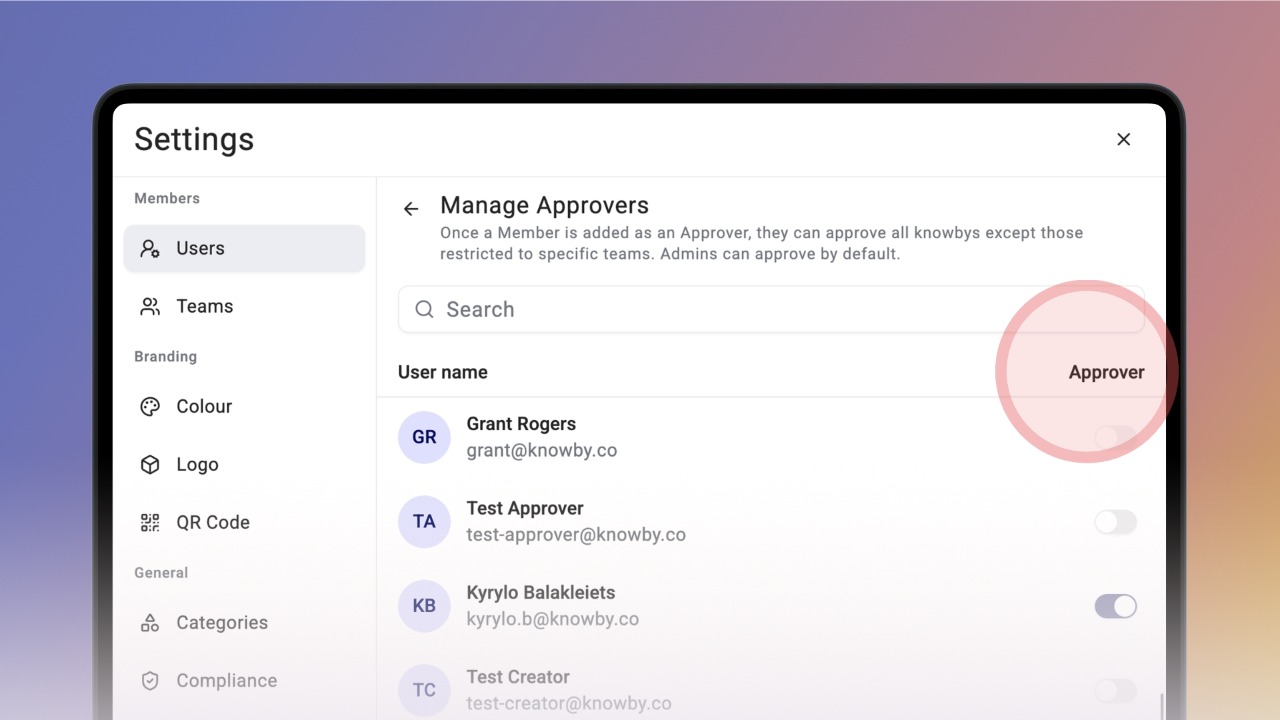
To set up an approver, open Settings, go to Users, and click Manage Approvers.
This menu lists everyone in your organisation.
Admins can be assigned knowbys for approval by default — this can't be changed here, it's always on.
To make a member an approver, use the switch on the right of their name.
When you turn the switch on, a confirmation appears and the approver rights are granted.
Once a member has approver rights, you can assign knowbys to them during the approval process — they'll now appear as a choice in the Approval step.