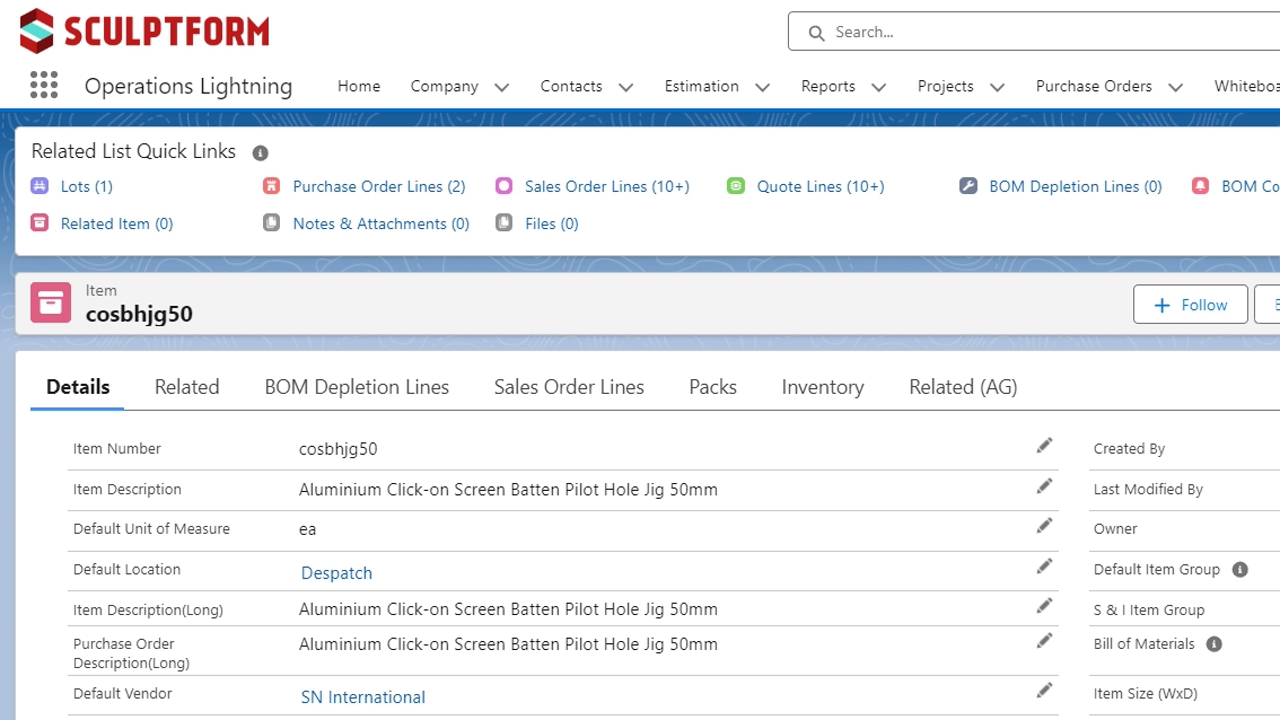

To create a new item, find an existing item that is similar, open it and click Clone, you will then need to edit the code before saving. If you cannot find an item that is similar > click new item, then you will need to work out what the code should be.

These are the fields that need to be filled in for an Item we buy and sell eg. screws, but if the screw needs to be painted, or any manufacturing, finishing needs doing it needs a Bill of materials and item type needs to be BOM – see step 5.

P&S fields can be ignored unless it is an item we are adding to P&S, in this case tick it and the green highlighted filled in. Otherwise make sure it's unticked. Production cell can only be filled in by Ops, fill in anything else you can and ask Trevor or Kendall to add in production cell.

If you are cloning an item that already has an image URL you can copy and paste it in to the URL field once the item is saved. if a new item and no image in SF you will need to get an image file and follow this Knowby https://knowby.pro/view/d633b46c-2043-4bdd-9e09-ff2cb5646a79

Items we or a supplier needs to manufacture/cut/paint, has wastage or cannot just be bought & sold 1. Make the Item type = BOM, 2. Bom type = BOM-non Phantom. 3. Click on the green highlighted to set up the Bill of Materials as per step 6.

Click Related > New to add BOM components. Find a similar BOM to copy the BOM components, timber profiles are just flitch/waste, Wrapped Ali is Ali, anodising, glue and wrap. If you are not 100% confident ,please do what you think then email item link to ken.p@sculptform.com

For colour coating BOM's you need to get the recipe from here Coating sheet (Sheet 1.) Copy and paste into Sheet 2. and it will give you the qty for the BOM.
Naming convention for coating items is natacc_description_{ext or int}tc
Eg. nataccwwashexttc
Adjust the italics and ext/int
A stain will need binder & tint as well as Aquasoyz (Internal) or Rollertix (External) in double the qty of the Binder.
If there are any questions feel free to ask Jullian or Ken.