Knowby
Grants
Flagging PIC re Johnes
1
Step 1 of 9
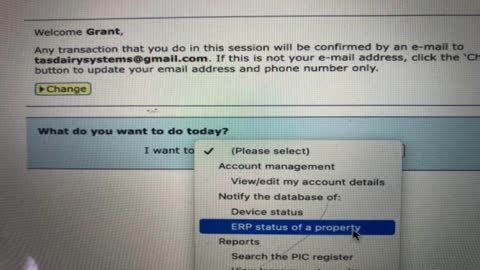
Log in and select ERP status of a property
2
Step 2 of 9Now hit go
3
Step 3 of 9
Choose type in manually
4
Step 4 of 9
Put the PIC number applicable in the bottom box
5
Step 5 of 9
Choose JD in the program code. Under status: C = clear to remove flag from the PIC JDP = puts a flag on the PIC
6
Step 6 of 9
Use today’s date. In the comment section put what has actually happened
7
Step 7 of 9Now push continue
8
Step 8 of 9
You’ll be asked to confirm the details and push continue
9
Step 9 of 9
If you’ve done everything correct a receipt will be issued