
Unpublish a knowby
Unpublish a knowby to take it offline when the procedure is outdated, under review or no longer used. It goes back to your drafts, where you can update it and publish it again.
Unpublish a knowby to take it offline when the procedure is outdated, under review or no longer used. It goes back to your drafts, where you can update it and publish it again.
1
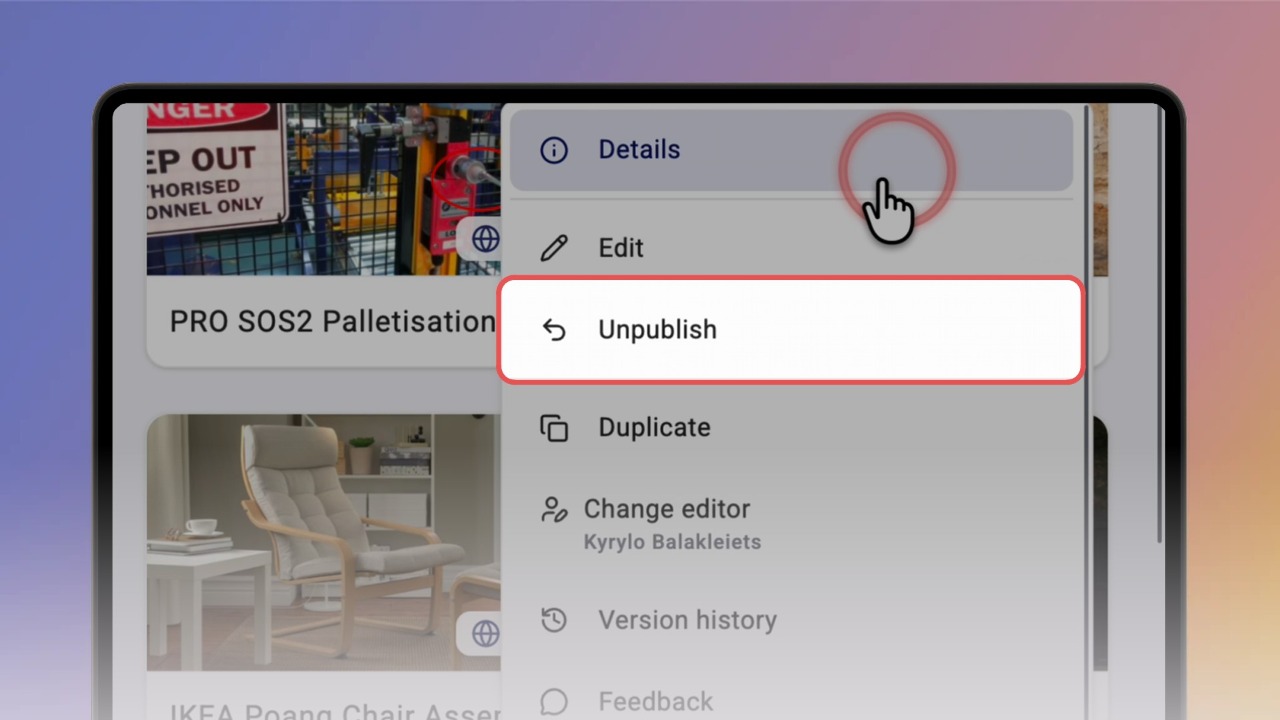
Step 1 of 2Open the ⋯ menu on the published knowby card and click Unpublish.
Tip: you can also click Unpublish at the top of Knowby Details.
2
Step 2 of 2In the Unpublish this knowby? dialog click Unpublish. You'll see "Knowby unpublished successfully" and the knowby moves to My drafts.
What changes for viewers: the knowby disappears from everyone's Knowbys list. Its links, QR codes and embeds now show a 404 page until you publish it again.