
Knowby lets you build a flow where a step must be completed before a user can move on — guaranteeing they've actually engaged with that part of the instructions.
To track how users work through your steps, go to Create/Edit, then the Steps tab, and open the Form panel on the right — this collapsible panel is where you build and preview all your form fields.
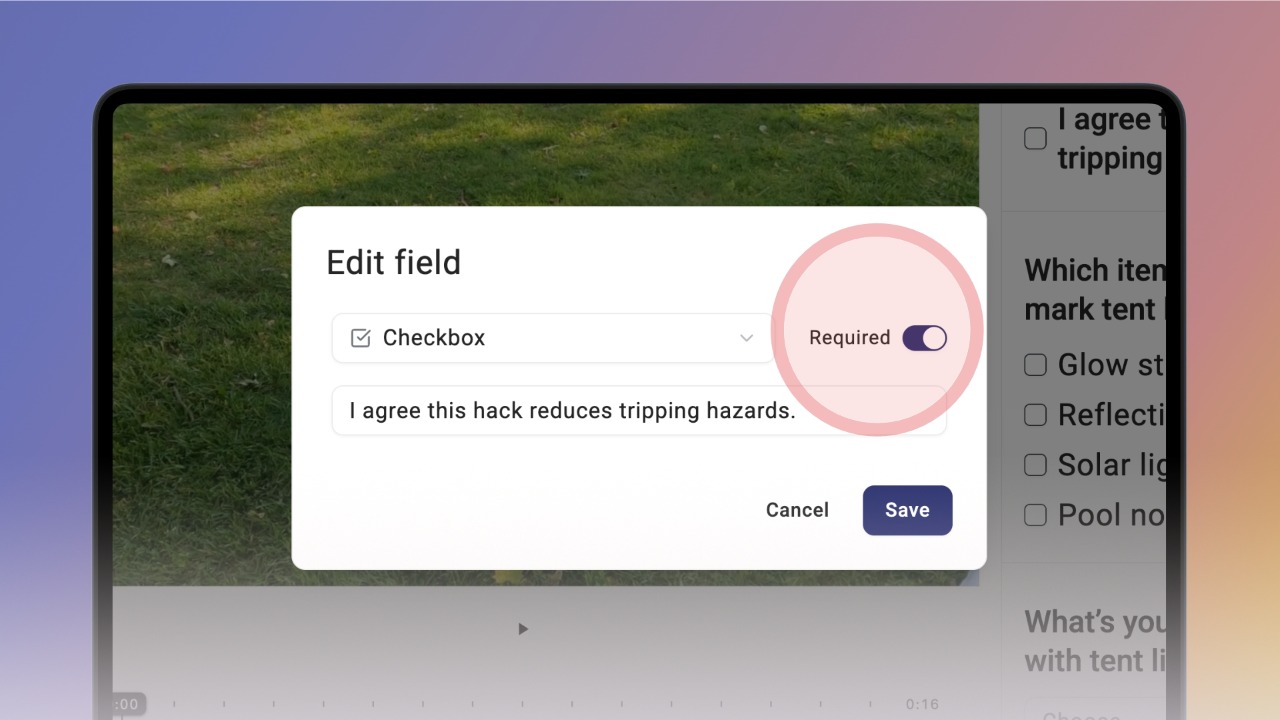
You can turn any form field into a mandatory one by switching on Required.
For example, choose the Checkbox field type, toggle on Required, and add a label.
Once saved, the field appears on the step marked with a red asterisk, showing it must be completed.
On a published knowby, a required field shows up below the media and step description, marked with a red asterisk.
If a user skips that step, Knowby flags it in red in the step thumbnails so they know it's still outstanding.
They also won't be able to finish the whole knowby until it's done — trying to will show the message "Some steps are still incomplete":
Clicking Go to incomplete steps takes them straight to the first incomplete step
Clicking Exit closes the knowby, and it's marked as unfinished
Once every required step has been completed, the user can finish the whole knowby.
They'll see the You're all set! screen, where they can rate the knowby and mark it as completed.
You can view knowby completions from Reporting — either jumping straight to one knowby, or browsing the full dashboard.
📱 Reporting is only available to Admins, on desktop devices.
To see a specific knowby's responses, open the Completions menu — either from the three-dot menu on a knowby card, or from Knowby Details — then click the button next to the record you want. This opens the knowby in a read-only view, showing every answer that was filled in.
Completions are only visible to the knowby's owner (Editor) or an Admin.
You can also browse completions for any knowby on your own. Open Settings, go to Reports, and click Open reports to reach the dashboard.
Select Knowby in the left-hand menu, then Completions, and choose the knowby you want from the dropdown list.