
Add users with a CSV
Adding a whole team? Upload one CSV file and add many people to your organisation at once.
Adding a whole team? Upload one CSV file and add many people to your organisation at once.
1
Step 1 of 3Open Settings (⚙) in the top bar and select Users.
Good to know: Only Admins can add users.
2
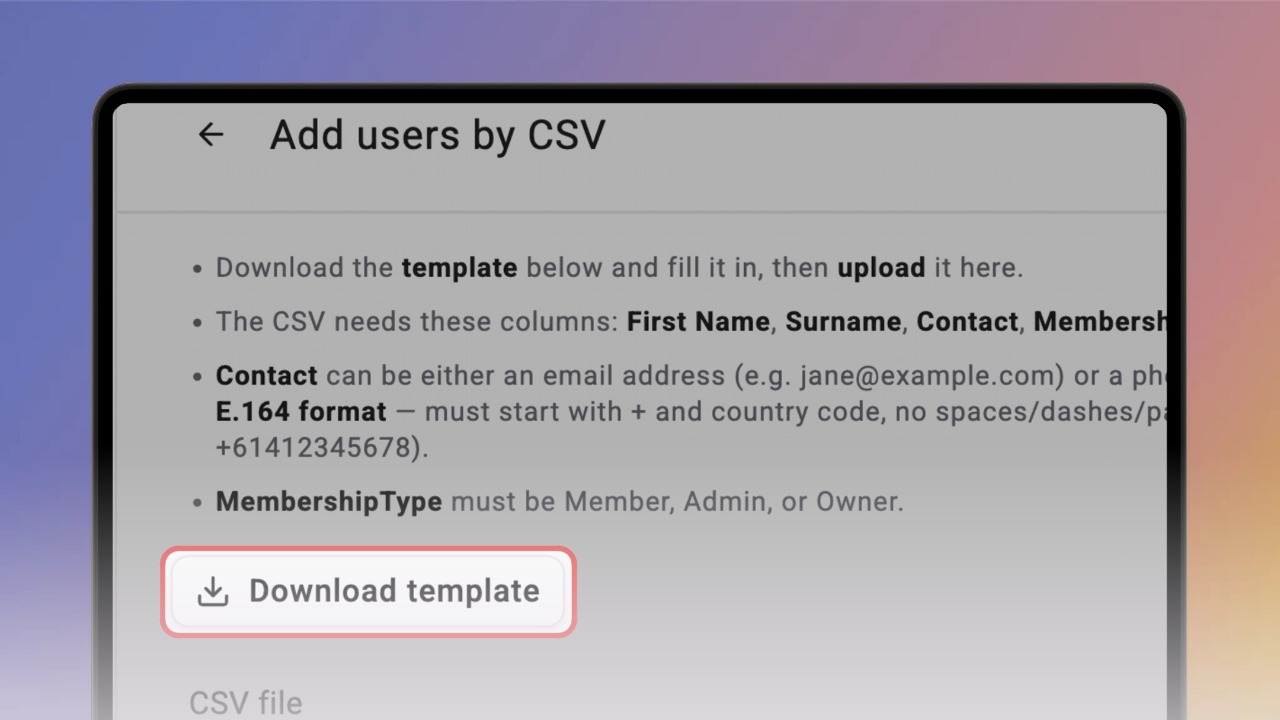
Step 2 of 3Click Add user and select Add by CSV. Click Download template and fill it in — one row per person, with the columns First Name, Surname, Contact and MembershipType.
Good to know: Contact is an email address (jane@example.com) or a phone number in E.164 format — a + and the country code, with no spaces or dashes (+61412345678). MembershipType is Member, Admin or Owner.
3
Step 3 of 3Click Choose file and select your saved CSV. Tick Send invitation email to each new member if you want them invited by email, then click Upload. Knowby checks every row and adds the users — you’ll see how many were added or skipped. Click Done.