
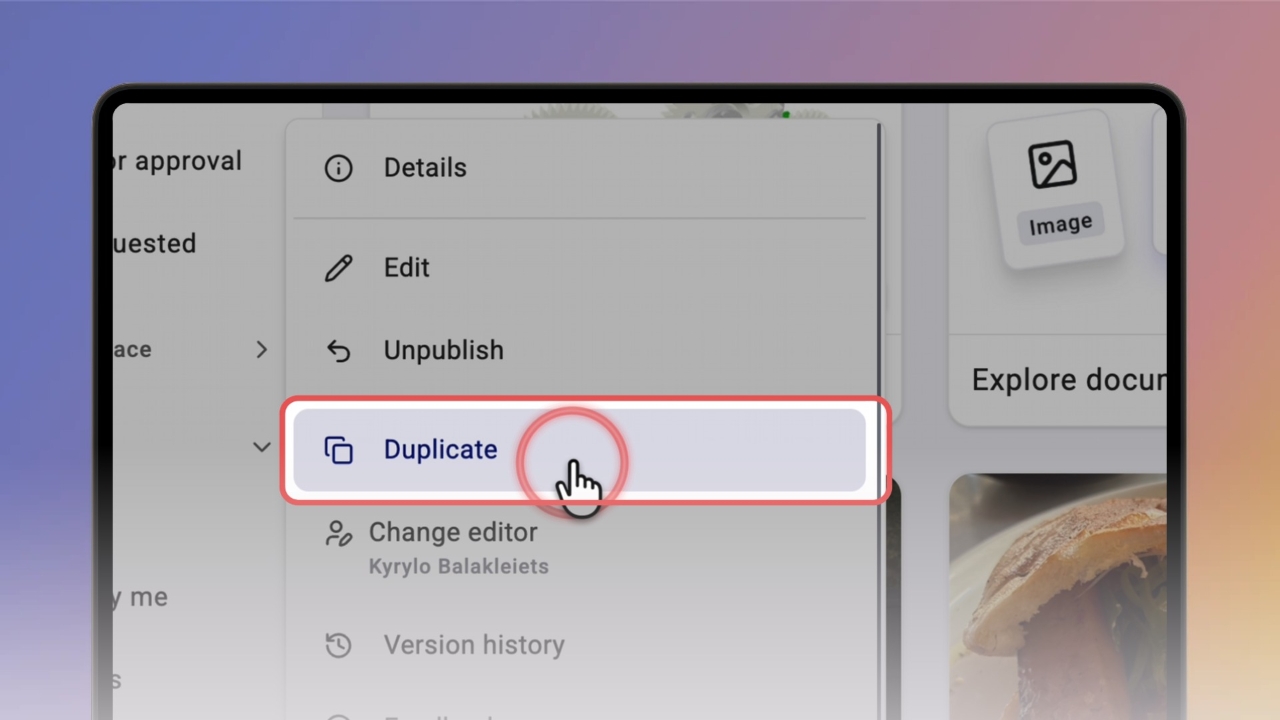
Duplicating gives you a copy of a knowby with all its steps — handy when a new guide is close to one you already have.
Find the knowby you want to copy, click the three-dot menu on its card, and select Duplicate.
Click Duplicate to confirm.
Knowby takes you to My drafts while the copy is being made — its card shows Duplicating….
When it's ready, you'll see 'Knowby duplicated successfully'.
The copy is named CLONE – followed by the original title.
Open the copy to make it your own.
The copy is a private draft — only you can see it until you publish it.
Tip: rename it first, so nobody mixes it up with the original.
Good to know:
You can also duplicate from Details — click the three-dot menu on a card, select Details, then click the Duplicate icon at the top.
The original knowby isn't changed — you edit only the copy.