Knowby
Tyre Doctor
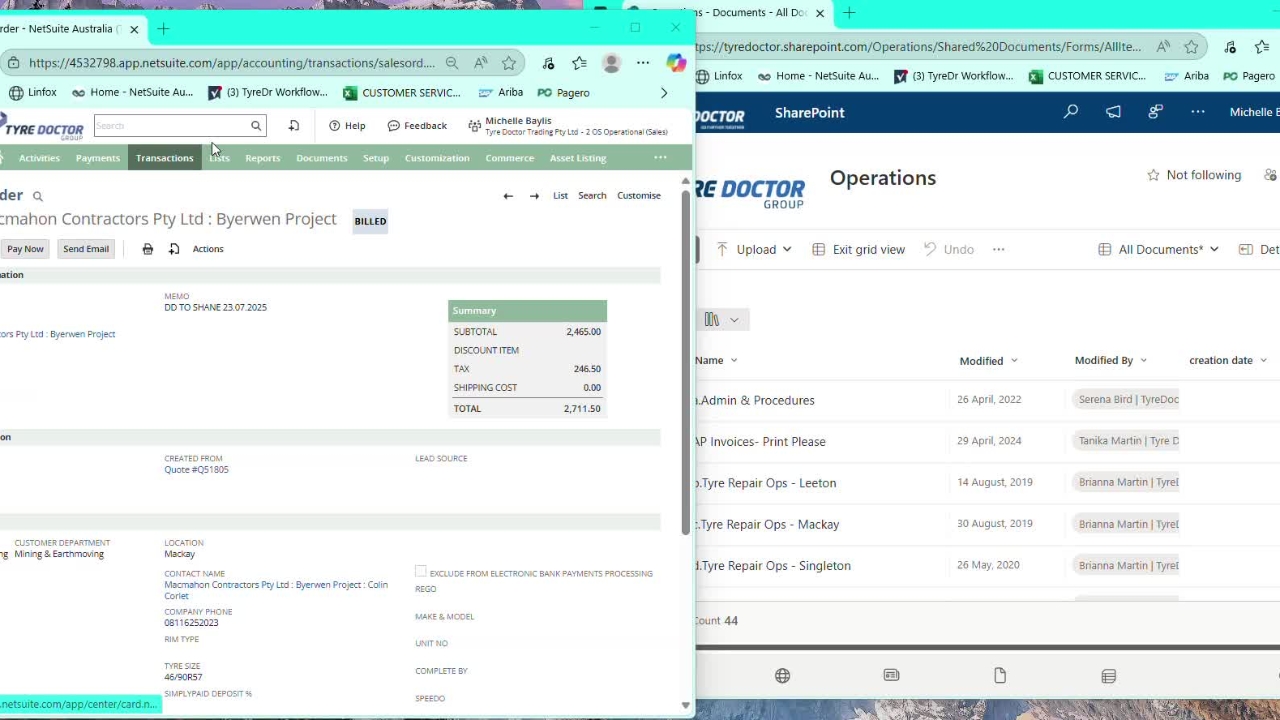
FINDING SIGNED DELIVERY DOCKETS
1
Step 1 of 3Start with both NetSuite and Operations SharePoint open.
Search the Po Number to get either Quote or Sales order Number for searching.
Go to operations sharepoint.
2
Step 2 of 3Operations
Admin & Procedures
Freight and Logistics
Delivery Dockets
Seach bar - Search either the sales order or Quote number.
This will bring up the Original DD that was created. If nothing shows up it means an original hasnt been created at all and this issue will need to be sent to Account Manager and Sales team.
3
Step 3 of 3Back to the search bar and search the date of the original DD.
e.g. in this example 01.07.2025.
This brings up all DDs with that date both original and signed. So, find the customer and open to find the signed copy of the DD you are after.
There you have it.