
Find knowbys in My schedule
See the knowbys assigned to you, preview them, and complete them from My schedule.
See the knowbys assigned to you, preview them, and complete them from My schedule.
1
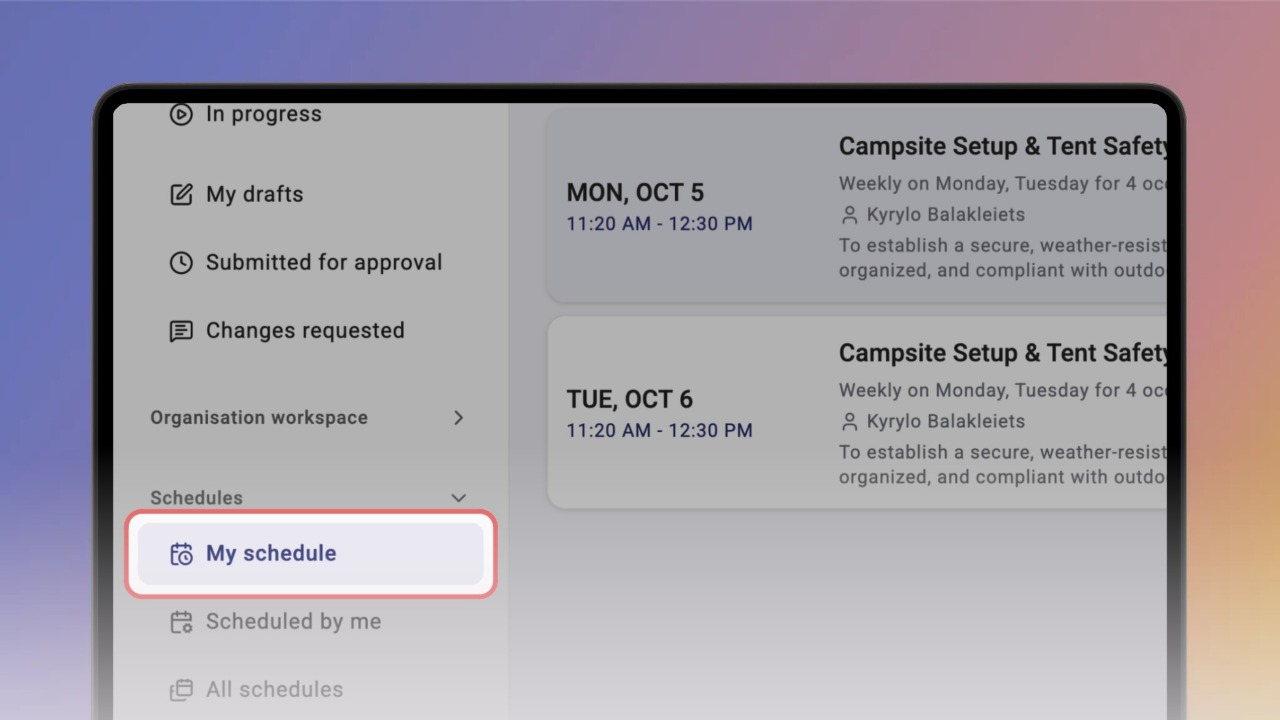
Step 1 of 6In the left menu, open Schedules and click My schedule.
You'll see every schedule assigned to you.
2
Step 2 of 6Click a schedule to open it. Its knowbys are listed under Tasks.
3
Step 3 of 6Click the arrow next to the schedule title to see who requested it, the time zone and how often it repeats.
4
Step 4 of 6Click Preview knowby to look through the steps. Nothing you do in preview is saved.
5
Step 5 of 6When you're ready, click Start task, then Get started.
To work through the steps and finish, see
View a knowby and Mark as Complete .
6
Step 6 of 6Once you've finished, the task shows Completed. Click View completion to see your answers, the completion date and the knowby version.