
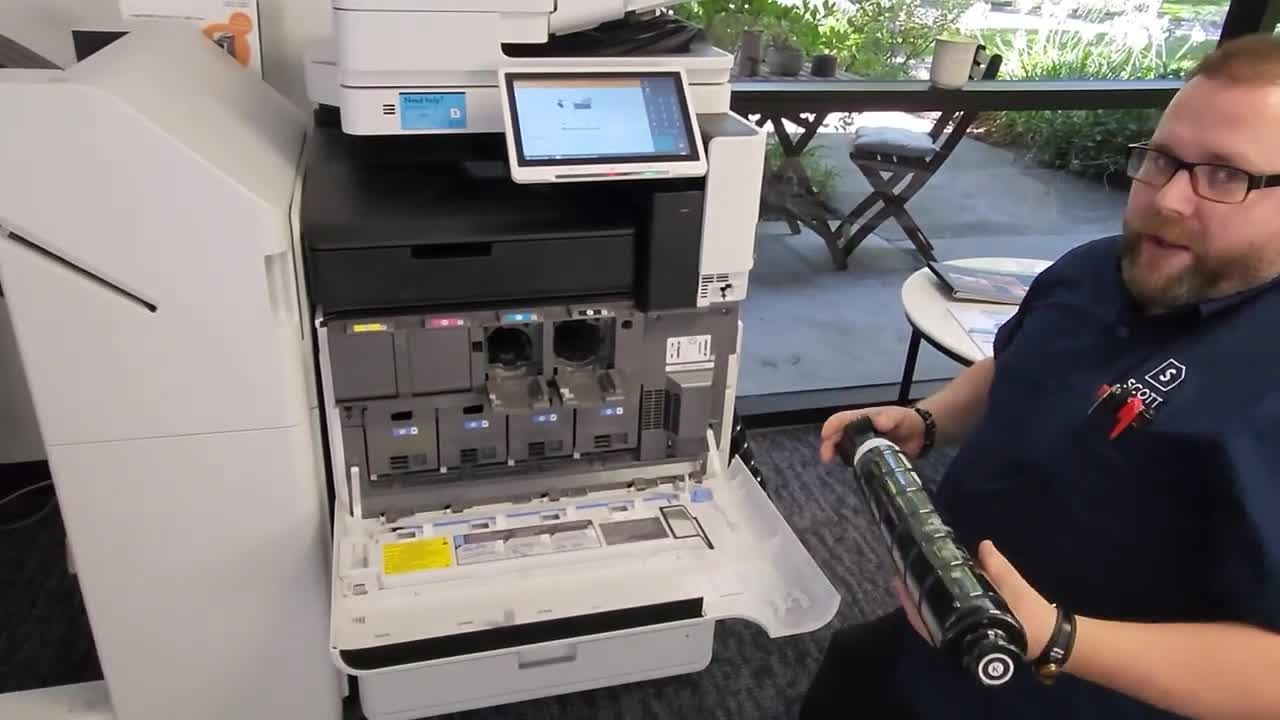
First, in order to know when your device needs toner, there'll be a clear indicator at the bottom in the middle of the screen here.
After that, we'll go ahead and drop down and open up the panel, the front door.
In here you notice how the two doors popped open. This indicates which toners need to be replaced so you don't accidentally install toner that the machine doesn't need.
You'll take the black toner bottle and it'll be new out of the package. As the sticker says here, you want to shake it up and down nine to ten times.
We do this to agitate the toner in case it's been in storage for a long time to avoid any toner lumps forming inside the bottle so we don't have issues with coffee quality.
You slide the toner into the machine and you'll notice that each one is going to be differently keyed so you can't put a black in a sign.
Provide your machine ID number and our folks will take care of you. Thank you.
If you have a service request, please click on this link