
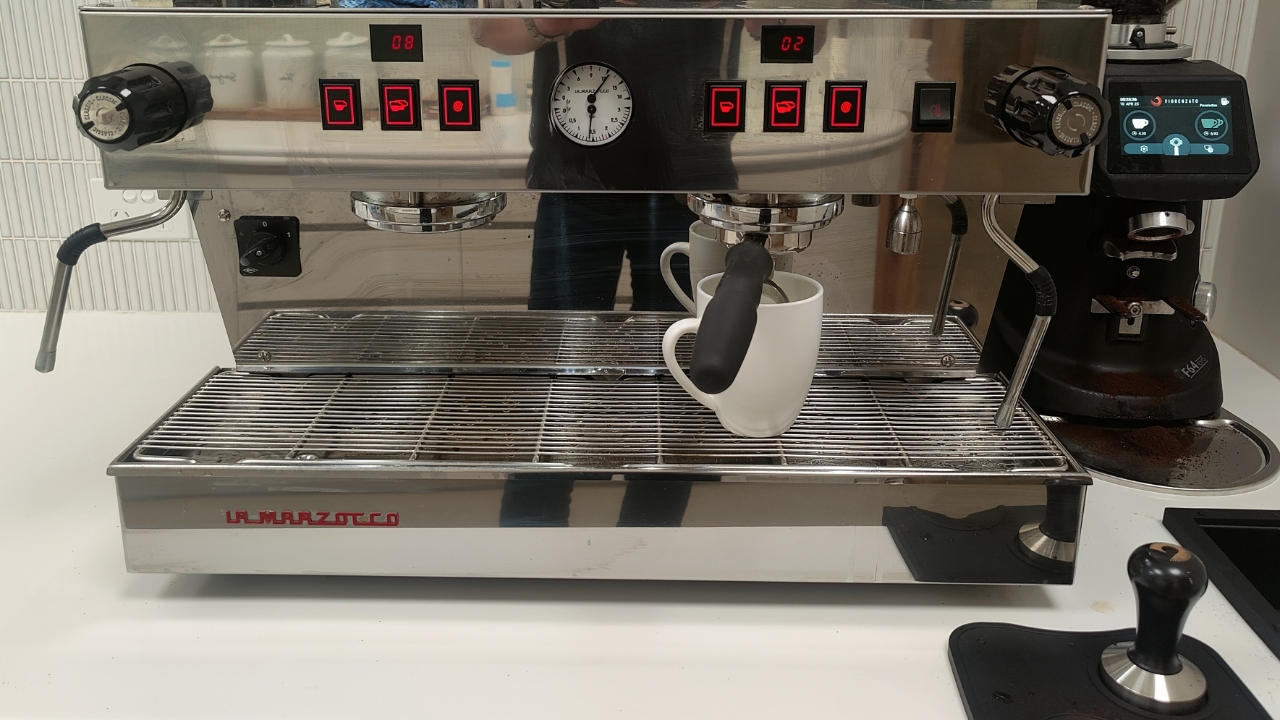

Firstly, select single or double shot on the coffee grinder machine.

Place the coffee holder into the coffee grinder.
The coffee will automatically grind and fill once the button on the grinder is pressed with the coffee holder.
Take out the coffee holder and press it down firmly with the coffee tamper.
Attach the coffee holder to the coffee machine
Insert at a 45 degree angle and pull to the right until tight.
Put your mug underneath the coffee holder and select either single or double shot.
Remove the coffee holder and press the double shot button to flush the machine.
Empty the used coffee from the coffee holder and rinse by pressing the doubleshot button.
Instructions for making hot milk and froth
Place the steam nozzle inside your milk container and turn the steam knob to the left.
Ensure to keep the nozzle in the milk when the steam is on.
Ensure to clean the steam nozzle with a damp towel and release some steam to flush the nozzle.
Pour your milk into the coffee and try and make a four leaf clover :)
