Knowby Sculptform
Knowby
Accounts Payable Reconciliation Process- Reconcile with EOM statement
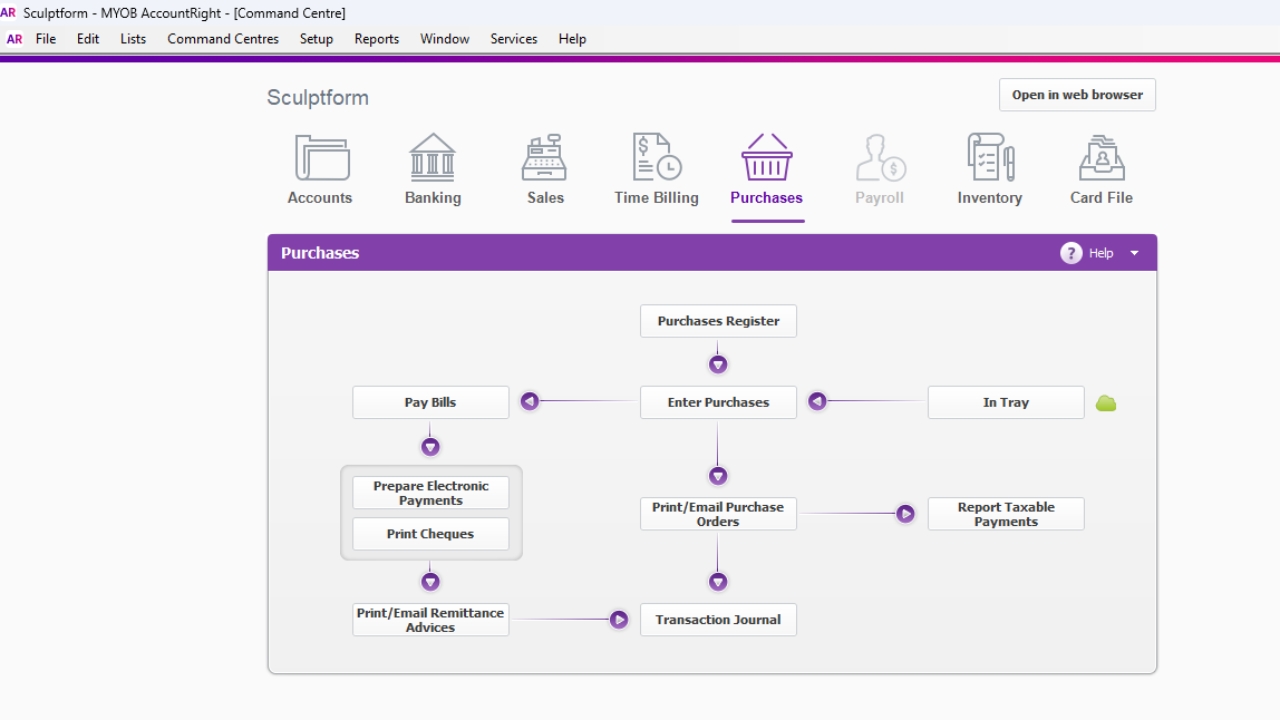
Accounts Payable Reconciliation - Reconcile with Supplier EOM statement Note – For all the supplier’s September’s invoices we do the reconciliation on 1st week of Month. Go to report Purchase Payable reconciliation report Click to export to excel
1
Step 1 of 9
<p>Accounts Payable Reconciliation - Reconcile with Supplier EOM statement Note – For all the supplier’s September’s invoices we do the reconciliation on 1st week of month.</p><ul><li><p>Go to report Purchase</p></li><li><p>Payable reconciliation report Click to export to excel</p></li></ul><p></p>

Accounts Payable Reconciliation - Reconcile with Supplier EOM statement Note – For all the supplier’s September’s invoices we do the reconciliation on 1st week of month.

  • Go to report Purchase

  • Payable reconciliation report Click to export to excel

2
Step 2 of 9
<ul><li><p>Payable reconciliation report Click to export to excel</p></li></ul><p></p>
  • Payable reconciliation report Click to export to excel

3
Step 3 of 9
<p>Save the export excel sheet on Finance - Documents\General\Finance\SUPPLIERS - Accounts Payable\Payable Reconciliation - Reports\FY2025-2026</p>

Save the export excel sheet on Finance - Documents\General\Finance\SUPPLIERS - Accounts Payable\Payable Reconciliation - Reports\FY2025-2026

4
Step 4 of 9
<p>Then Start reconciled with supplier statement received&nbsp;</p><p></p>

Then Start reconciled with supplier statement received 

5
Step 5 of 9
<p>E.g. Abbot supply statement</p>

E.g. Abbot supply statement

6
Step 6 of 9
<ul><li><p>In MYOB go the purchase register &amp; Search Supplier Abbot supply</p></li><li><p>Match our entered invoices with their statement. </p></li></ul><p></p>
  • In MYOB go the purchase register & Search Supplier Abbot supply

  • Match our entered invoices with their statement.

7
Step 7 of 9
<p>In this case it matched. Then put ✅ sign against the supplier on reconciliation report as per Screenshot.</p>

In this case it matched. Then put ✅ sign against the supplier on reconciliation report as per Screenshot.

8
Step 8 of 9
<h2>If it won’t match, then find out the reason.</h2><p></p>

If it won’t match, then find out the reason.

9
Step 9 of 9
<h2><strong>Reasons can be</strong></h2><ul><li><p>Missing invoices – In this case, request the missing invoice INV-363881 is missing (Always check AP email before you request the invoice) </p></li><li><p>Stock invoices haven't been entered in SF - We received the invoices, but the goods haven’t been received yet in this case you need to wait until the good is received &amp; then Mei will enter the invoices in SF</p></li><li><p>Note – We don’t receive the statement from supplier with trading term of 7 days, 14 days -In this case mostly we have one or two invoices so that’s fine to reconcile without statement &amp; No need to reconcile overseas one</p></li></ul><p></p><p></p>

Reasons can be

  • Missing invoices – In this case, request the missing invoice INV-363881 is missing (Always check AP email before you request the invoice)

  • Stock invoices haven't been entered in SF - We received the invoices, but the goods haven’t been received yet in this case you need to wait until the good is received & then Mei will enter the invoices in SF

  • Note – We don’t receive the statement from supplier with trading term of 7 days, 14 days -In this case mostly we have one or two invoices so that’s fine to reconcile without statement & No need to reconcile overseas one