
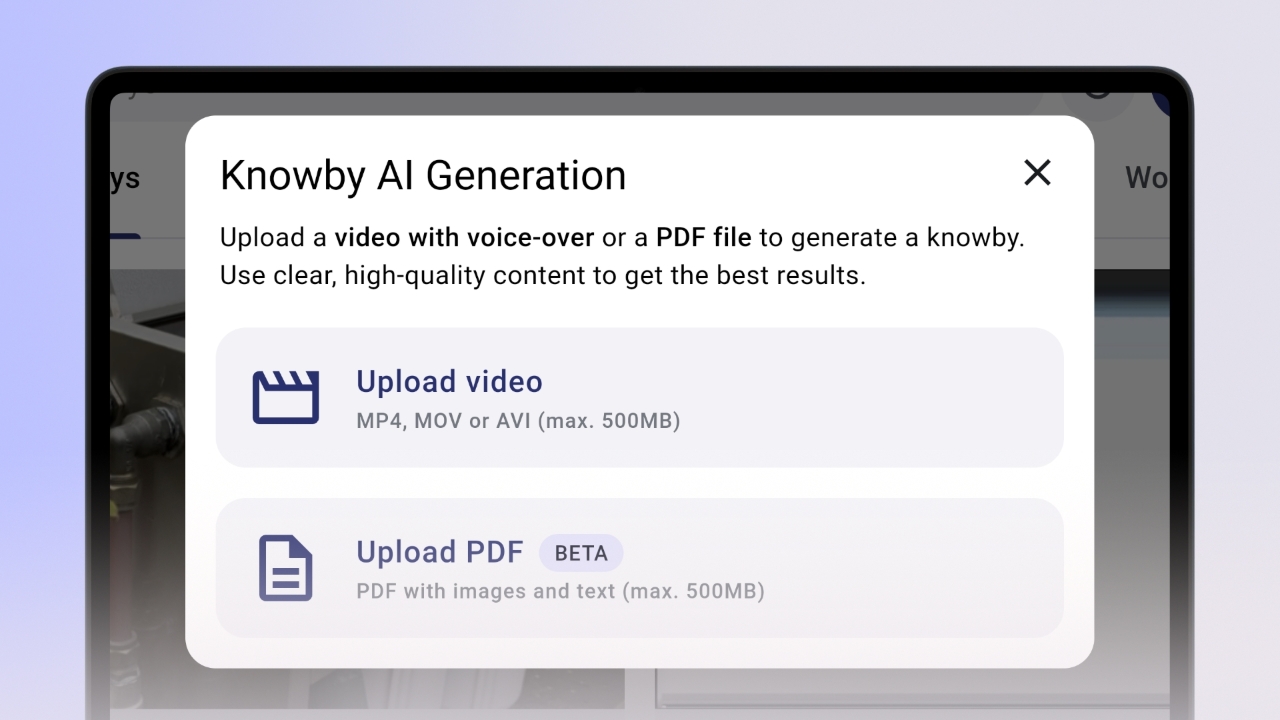
To start, click the 'Create' button in Knowby, choose 'Generate with AI' and then select 'Upload PDF' in a pop-up window. Select the file you want to convert.
Tip: Upload PDFs that include clear steps or visual instructions, especially those combining text and images.
Once uploaded, Document Intelligence will analyze your document and extract steps, visuals, and descriptions. This process typically takes about 20 seconds, depending on the PDF size.
Rest assured: Your PDF data is securely processed by our system and never shared externally.
After generation is complete, the knowby will appear in your 'My Drafts' section. The Document Intelligence will have:
- Extracted step-by-step structure from your PDF;
- Generated a title and description;
- Assigned relevant images to each step (if available).
Click 'Edit' to improve your knowby.
You can modify the text, rearrange steps, or make other changes to refine clarity and structure.
In the knowby editor, you can:
- Modify the title or description;
- Refine the text and media in each step;
- Format steps with text styles, lists, links, etc.;
- Add translations;
- Set properties like “Step must be completed” if using for training or compliance.
Once you’re happy with the result, click Done.
Your knowby will remain in 'My Drafts' until you’re ready to submit it for approval or publish it directly.