
Manage event subscriptions
Check what Knowby has sent and change or pause your subscriptions.
Check what Knowby has sent and change or pause your subscriptions.
1
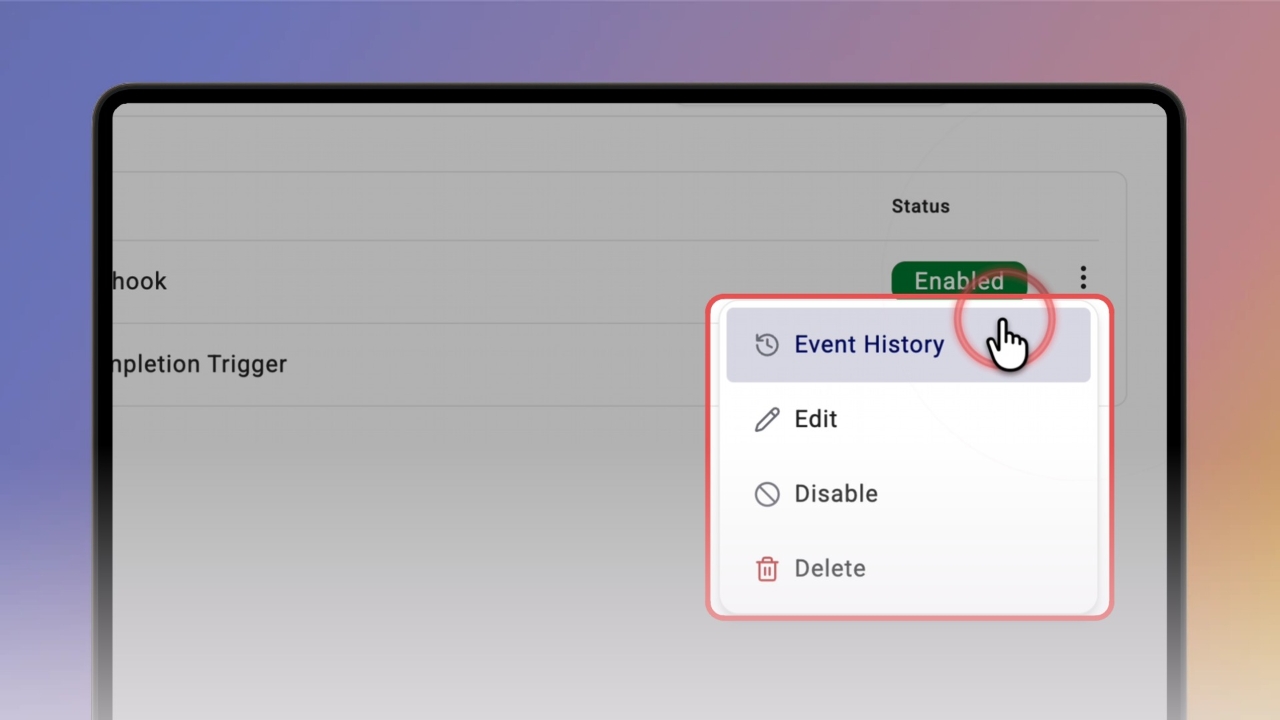
Step 1 of 3In Event subscriptions, click ⋮ next to a subscription to open Event History, Edit, Disable or Delete.
2
Step 2 of 3Click a subscription to see its events, then select an event to see when it was sent, its state and the full Event Data.
Good to know: Event history is kept for 7 days.
3
Step 3 of 3Click Refresh Events to load the latest events, or Edit Subscription to change it.