
Manage a Knowby from Its Card
Every knowby card gives you quick actions without opening it — share it directly, or manage it through a status-aware menu.
Every knowby card gives you quick actions without opening it — share it directly, or manage it through a status-aware menu.
1
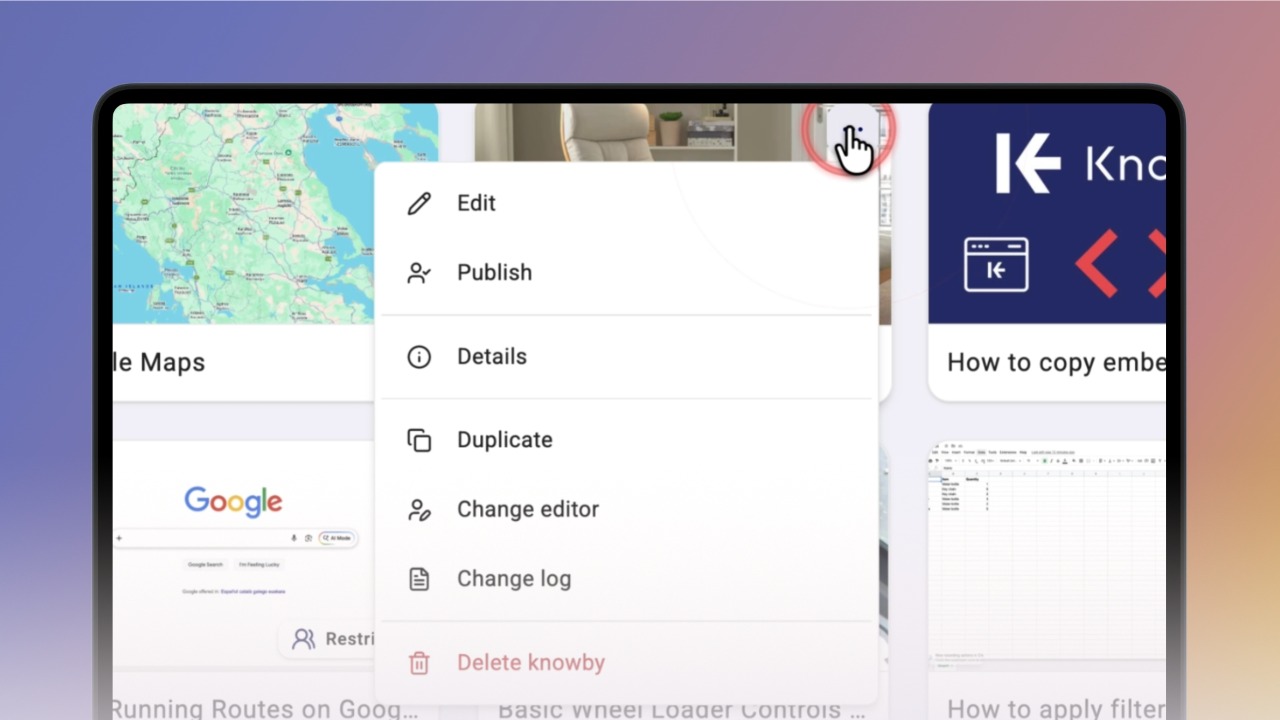
Step 1 of 2Hover over a published knowby card and you'll see two buttons — Share on the left, and the three-dot menu on the right.
Share opens a link or QR code — internal only for Internal knowbys, or both internal and public options for Public ones.
2
Step 2 of 2The three-dot menu shows everything else you can do with that knowby.
If it's in Draft, Awaiting Approval, or Changes Requested, you'll see options specific to that status, so you can manage it without ever opening the knowby itself.