
Switch between organisations
If you belong to more than one organisation, switch between them in a couple of clicks.
If you belong to more than one organisation, switch between them in a couple of clicks.
1
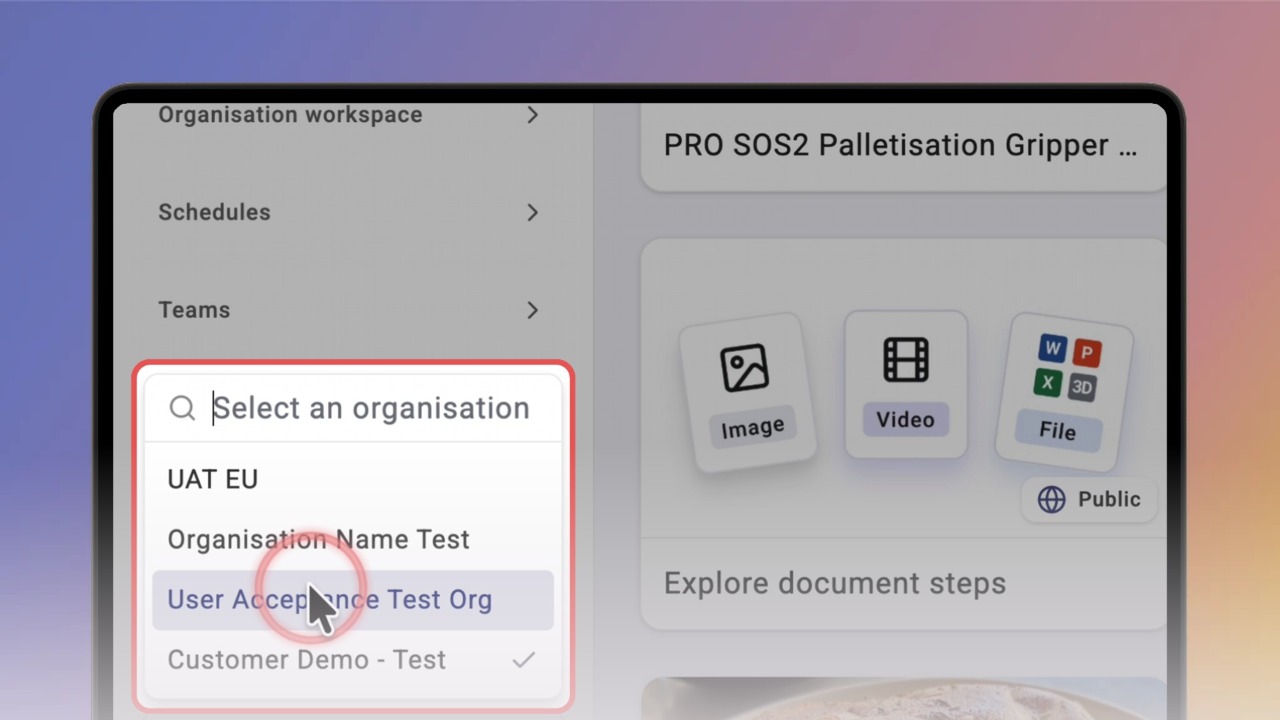
Step 1 of 3Click the organisation name at the bottom of the left menu. A list of your organisations opens.
2
Step 2 of 3Start typing to filter the list, then click the organisation you want. Knowby opens that organisation's workspace.
3
Step 3 of 3To switch back, open the list again and pick the other organisation. A tick shows the one you're in.