
Open your knowby and click Edit. Knowby Studio opens on the Details tab with the cover, title and description the AI created.
Scroll down to AI generated covers and pick one. Adjust the crop and click Save — the new cover appears at the top.
Open the Steps tab. Each step has the text and the video fragment the AI matched to it.
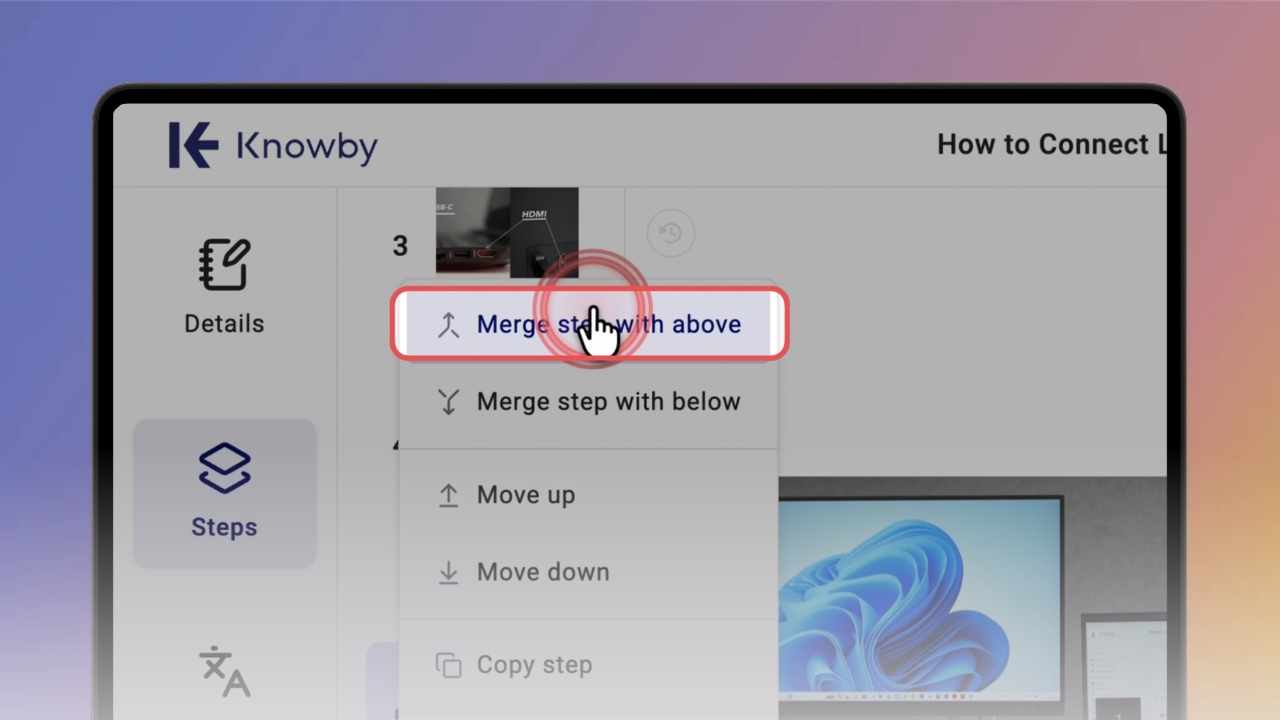
Click ⋯ under a step to see what you can do: merge it with the step above or below, move it, copy it or delete it.
Select Merge step with above — both steps' text and video are combined into one step.
Format the step text with the toolbar: bold, italics, headings, lists, blockquotes and links.
Open Form and click Add field to collect answers from people following the knowby — for example, a short answer, checkbox or image upload.
Use the tools under the media: crop it, draw on it with lines, arrows and shapes, or add safety signs.
Click Done when you're finished. Then click Ready to share? Publish it. to send your knowby through the approval process.