Knowby Sculptform
Knowby
Depreciation Journal Process
Depreciation Journal - Process.pdf
1
Step 1 of 20
<p>Depreciation Journal EOM Journal Checking and entering New Assets/Calculation/Journal/Reconciliation </p><p>We need to check below 4 assets accounts if any new assets are purchased every month, then we will include that in depreciation excel sheet to calculate the depreciation.</p><p></p><ul><li><p>1-7421 Plant &amp; Equipment @ Cost</p></li><li><p>1-7441 Motor Vehicles </p></li><li><p>1-7600 Leasehold Improvements</p></li><li><p>1-7461 Office Furn &amp; Equip @ Cost</p></li><li><p>1-7481 Software &amp; IT Infrastructure</p></li></ul><p></p>

Depreciation Journal EOM Journal Checking and entering New Assets/Calculation/Journal/Reconciliation

We need to check below 4 assets accounts if any new assets are purchased every month, then we will include that in depreciation excel sheet to calculate the depreciation.

  • 1-7421 Plant & Equipment @ Cost

  • 1-7441 Motor Vehicles

  • 1-7600 Leasehold Improvements

  • 1-7461 Office Furn & Equip @ Cost

  • 1-7481 Software & IT Infrastructure

2
Step 2 of 20
<p>GO to accounts Account list</p><p>Assets</p><p></p><p>1-7421 Plant &amp; Equipment @ Cost</p>

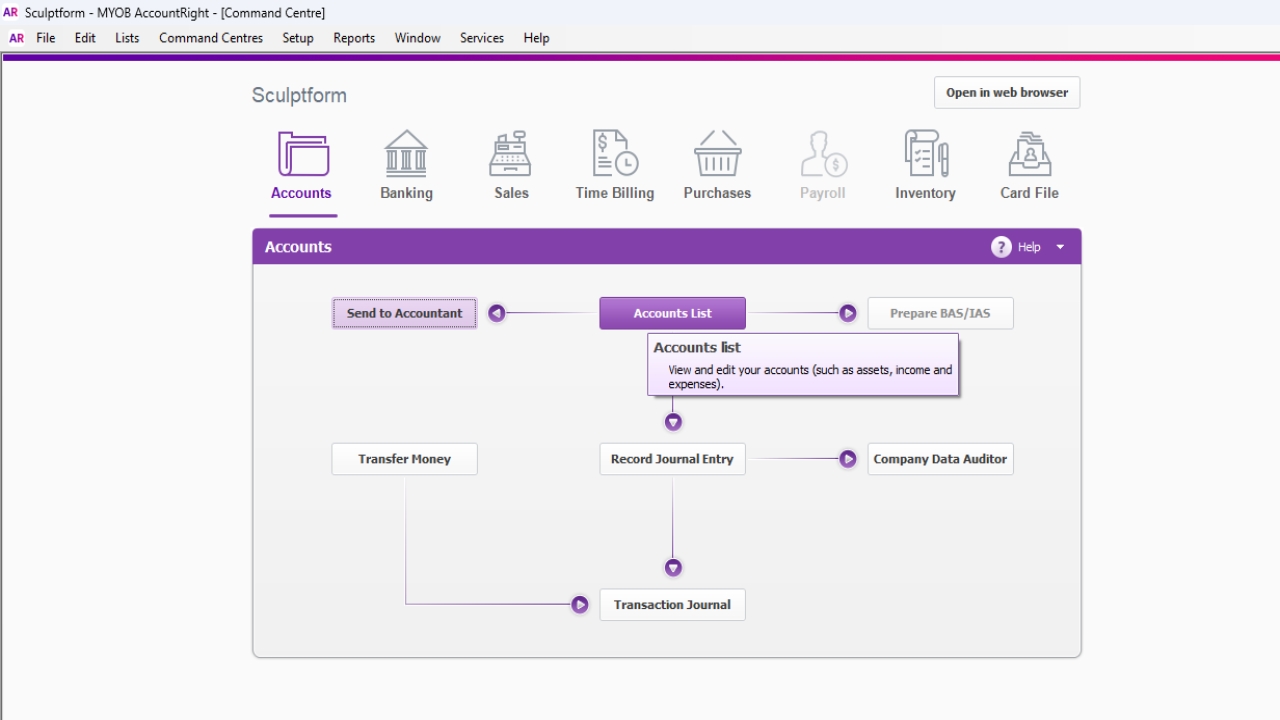
GO to accounts Account list

Assets

1-7421 Plant & Equipment @ Cost

3
Step 3 of 20
<p>Plant &amp; Equipment - E.g. We haven’t purchase anything during September</p>

Plant & Equipment - E.g. We haven’t purchase anything during September

4
Step 4 of 20
<p>Motor Vehicles – 2 Motor Vehicles purchased in September 2024, so we must include this in
Depreciation excel sheet</p>

Motor Vehicles – 2 Motor Vehicles purchased in September 2024, so we must include this in Depreciation excel sheet

5
Step 5 of 20
<p>Dep excel sheet&nbsp;</p>

Dep excel sheet 

6
Step 6 of 20
<p>If any Motor vehicle Sold</p><ul><li><p>Cut and paste that on sold Assets</p></li><li><p>Change the dep expense – E.g. 103 days (July 31days + August 31days+ Sep30days + 11 days)</p></li><li><p>Put the sales Price – $41,859.21</p></li><li><p>Other line - drag the formula</p></li></ul><p></p>

If any Motor vehicle Sold

  • Cut and paste that on sold Assets

  • Change the dep expense – E.g. 103 days (July 31days + August 31days+ Sep30days + 11 days)

  • Put the sales Price – $41,859.21

  • Other line - drag the formula

7
Step 7 of 20
<p> The we need to do a journal as well as per excel sheet.</p><p>• • •</p>

The we need to do a journal as well as per excel sheet.

• • •

8
Step 8 of 20
<p>Then we need to do a journal as well as per excel sheet </p>

Then we need to do a journal as well as per excel sheet

9
Step 9 of 20
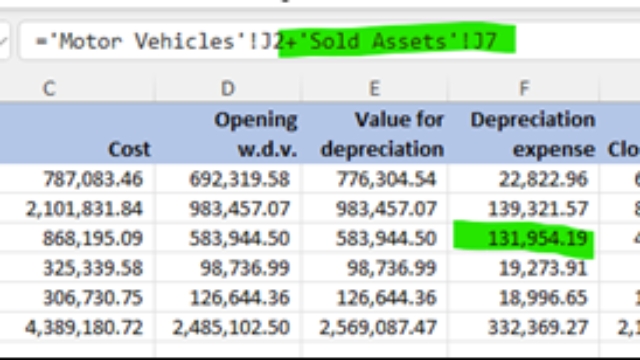
<p>Put sold figure on Dep excel sheet</p><p>To adjust the difference - need to add the depreciation expense from the sold asset sheet to F4 or relevant cell</p>

Put sold figure on Dep excel sheet

To adjust the difference - need to add the depreciation expense from the sold asset sheet to F4 or relevant cell
10
Step 10 of 20
<ul><li><p>To adjust the difference - need to add the depreciation expense from the sold asset sheet to F4 or relevant cell</p></li><li><p>The New Asset is a positive, but the sold asset needs to be a negative to it balances.</p></li></ul><p></p>
  • To adjust the difference - need to add the depreciation expense from the sold asset sheet to F4 or relevant cell

  • The New Asset is a positive, but the sold asset needs to be a negative to it balances.

11
Step 11 of 20
<p>1-7461 Office Furn & Equip @ Cost</p>

1-7461 Office Furn & Equip @ Cost

12
Step 12 of 20
<p>Follow the same process for other assets</p>

Follow the same process for other assets

13
Step 13 of 20
<p>Follow the same process for other assets</p>

Follow the same process for other assets

14
Step 14 of 20
<p>Follow the same process for other assets</p>

Follow the same process for other assets

15
Step 15 of 20
<p>EOM Depreciation journal</p><p>Click record Journal entry </p><p></p>

EOM Depreciation journal

Click record Journal entry

16
Step 16 of 20
<p>Click use recurring </p>

Click use recurring

17
Step 17 of 20
<p>Click select</p>

Click select

18
Step 18 of 20
<p>Change date
Change Memo
Change figure</p><p>Use September figure from Depreciation Excel sheet</p>

Change date Change Memo Change figure

Use September figure from Depreciation Excel sheet

19
Step 19 of 20
<h1>Reconciliation</h1><p></p><p>After entering the Dep Journal, we must do a reconciliation. For reconciliation go to each account &amp; match the Dep excel closing figure with MYOB figure. See nex step as an example</p>

Reconciliation

After entering the Dep Journal, we must do a reconciliation. For reconciliation go to each account & match the Dep excel closing figure with MYOB figure. See nex step as an example

20
Step 20 of 20
<p>For plant $ equipment we need to minus Dovetail machine figure from the total to do
reconciliation
1527,750.61- 59,1727.14 = $936 023.47</p>

For plant $ equipment we need to minus Dovetail machine figure from the total to do reconciliation 1527,750.61- 59,1727.14 = $936 023.47