
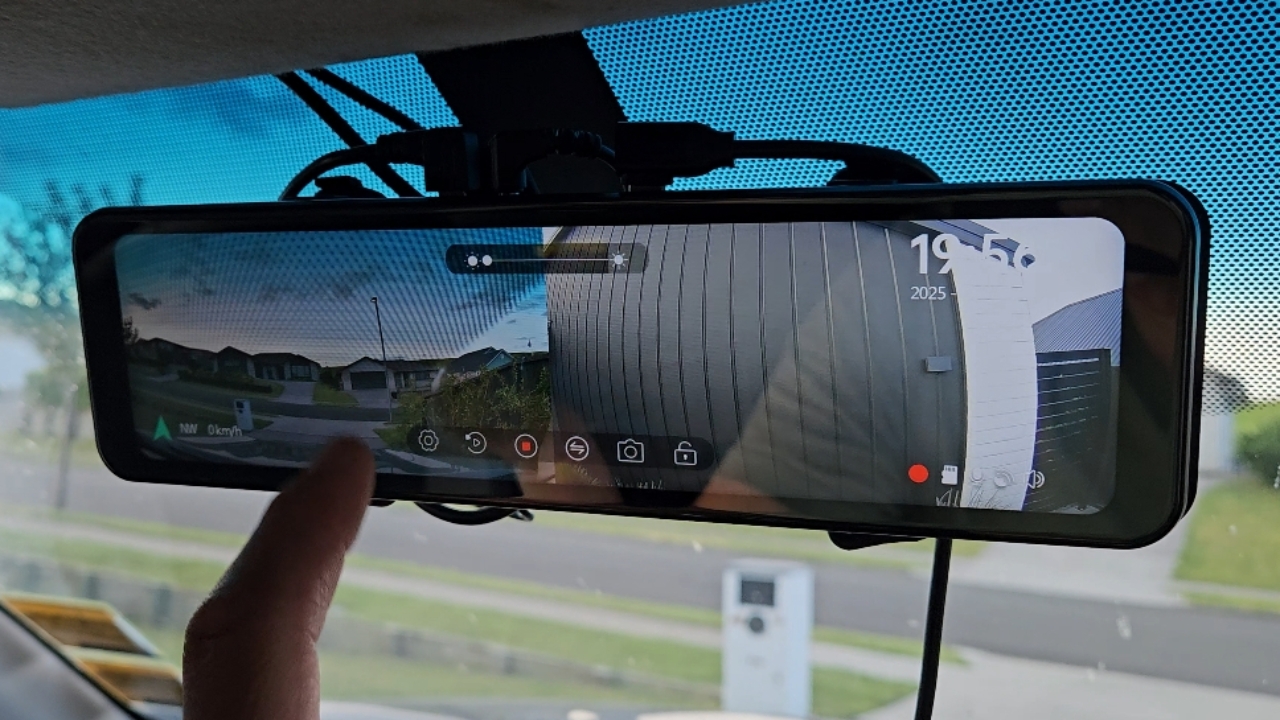
Adjusting Rear Camera Settings
How to adjust and use dashcam features on rear view camera
How to adjust and use dashcam features on rear view camera
1
Step 1 of 9Ensure vehicle is switched on running or into accessory
Typically the unit is powered through centre console 12v socket or into vehicle fuse box via a fuse tap
2
Step 2 of 9Adjusting screen on and screen saver
Tap screen if not on to wake from screensaver
Enter settings and set Screen Saver to No
3
Step 3 of 9Change vertical view by holding and moving up or down
4
Step 4 of 9Check mirror of image, if needed flip by toggling settings
5
Step 5 of 9Adjust brightness by swiping brightness control at top of view
Turn screen off with bottom push button
6
Step 6 of 9Swipe horizontal to change view display
7
Step 7 of 9Dashcam recording starts automatically upon power on
Review by selecting this button, scroll through list of recordings, change view between front and rear
8
Step 8 of 9Update date and time through settings
9
Step 9 of 9