Knowby
Metalform
Jira - Clone template and start new project
Using the clone app tool to copy the template, and set the new workspace for a design project that will take over 1 week
Using the clone app tool to copy the template, and set the new workspace for a design project that will take over 1 week
1
Step 1 of 5Open the clone app
select the space template
Name your project, and set the space code that will be used for coding all the tasks
2
Step 2 of 5Once finished cloning the space, clone the work items
All the settings are pre-configured, you just need to select "immediate clone" and start
3
Step 3 of 5The new space will always be under "more spaces" expand and find your new space
Create a scrum board when in the new space and add all work items
Hide all the un-necessary tabs
4
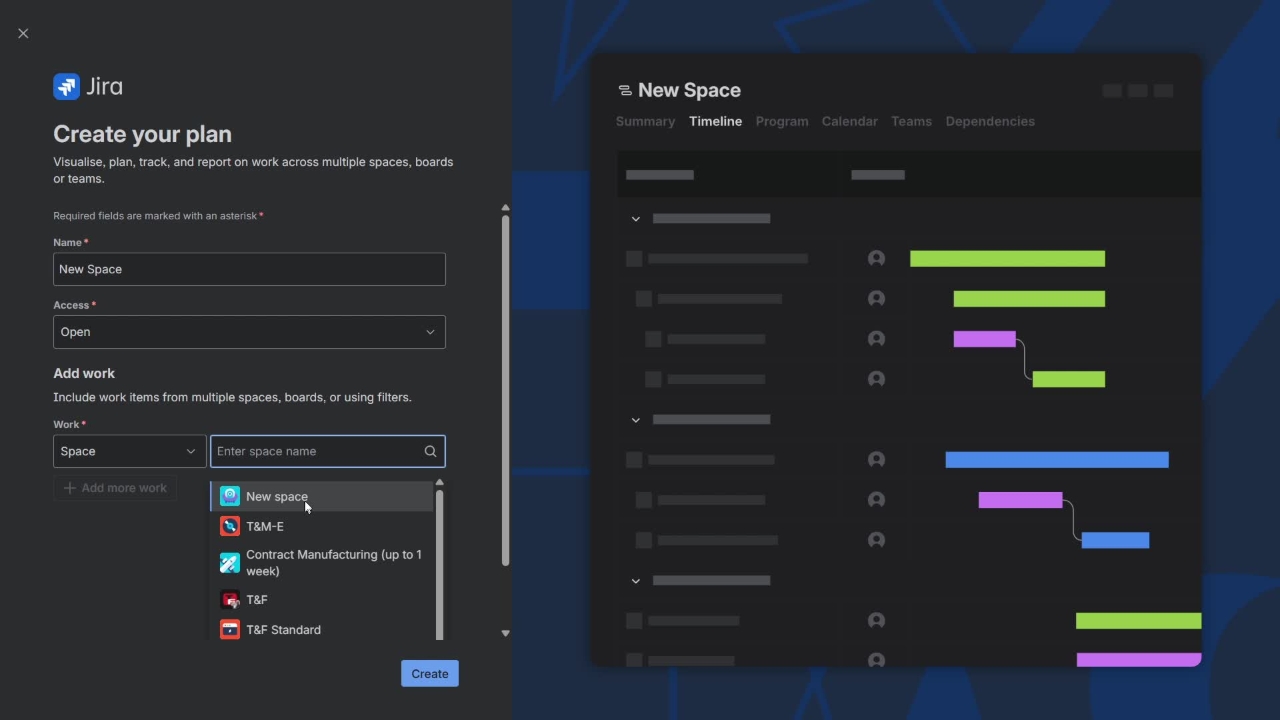
Step 4 of 5to make the timeline view, create a new plan
Call it the same as your space
Leave it open to all, and don't add team-members
5
Step 5 of 5Open the filter and make it view from epic through to subtask, and save filter
Then copy the link and add it back into your main space as a timeline view so it's easy to link to.