
MMU - E-Stop Familiarisation - Wayfinder Version
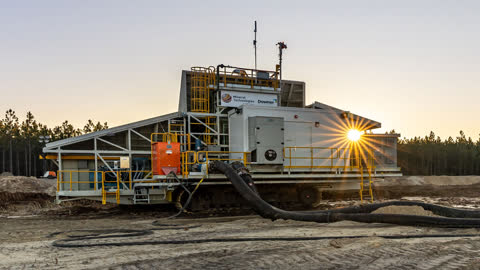
The purpose of this work instruction is to familiarise new operators with the locations of Emergency Stop Buttons (E-Stop) on the Mineral Technologies / Downer Mobile Mining Unit (MMU).
The purpose of this work instruction is to familiarise new operators with the locations of Emergency Stop Buttons (E-Stop) on the Mineral Technologies / Downer Mobile Mining Unit (MMU).
1
Step 1 of 12Climb on board the MMU via the Main Access Ladder.
2
Step 2 of 12
Conduct a visual inspection of the Slurry Pump Area E-Stop (YA11).
3
Step 3 of 12Climb up the ladder to the Shredder Area, walk towards the hydraulic end.
4
Step 4 of 12
Conduct a visual inspection of the Shredder Area E-Stop (YA09).
5
Step 5 of 12Climb up the ladder to the Crows Nest.
6
Step 6 of 12
Conduct a visual inspection of the Crows Nest E-Stop (YA12).
7
Step 7 of 12Disembark the MMU down the Main Access Ladder, walk towards the Electrical Access Ladder.
8
Step 8 of 12
Conduct a visual inspection of the Track E-Stop (YA10).
9
Step 9 of 12Climb the Electrical Access Ladder.
10
Step 10 of 12
Conduct a visual inspection of the MCC E-Stop (YA08).
11
Step 11 of 12Disembark the MMU, climb the Hydraulics End access ladder.
12
Step 12 of 12
Conduct a visual inspection of the Hydraulics E-Stop.