
Use Knowby's Built-in Tutorials
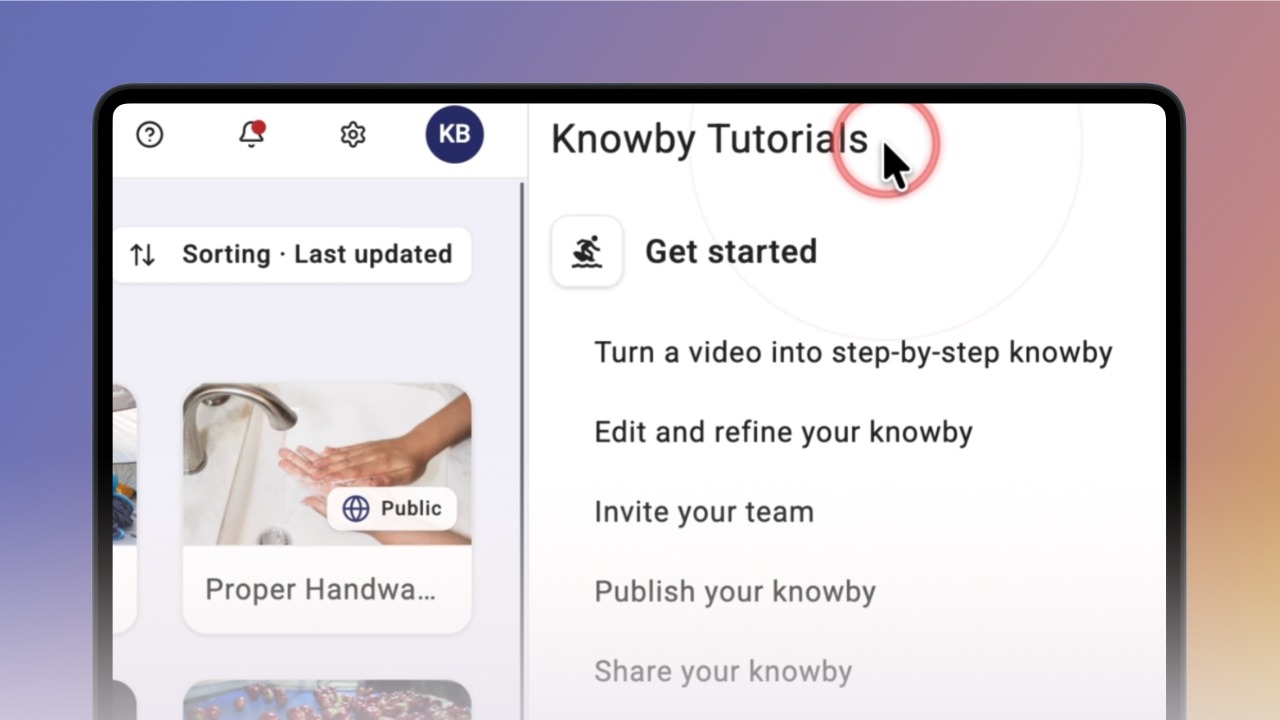
Get step-by-step help without leaving what you're doing — open Knowby's built-in tutorials from anywhere in the app and follow along in a side panel.
Get step-by-step help without leaving what you're doing — open Knowby's built-in tutorials from anywhere in the app and follow along in a side panel.
1
Step 1 of 3Knowby has built-in tutorials you can pull up at any point while using the app, so you can follow along and act on each step at the same time. They open as a knowby guide in a panel on the right, without interrupting whatever you're doing.
To open one, click the question mark icon.
📱 Tutorials are only available on desktop.
2
Step 2 of 3Click a tutorial's title to open it — it'll start from the first step.
Scroll through as you go, and keep working on the rest of the screen at the same time; the tutorial in the side panel just guides you along.
3
Step 3 of 3Explore the different tutorial groups to learn more about the system, and once you're done, click the X in the top-right corner to close it.