Knowby
Dairy Systems
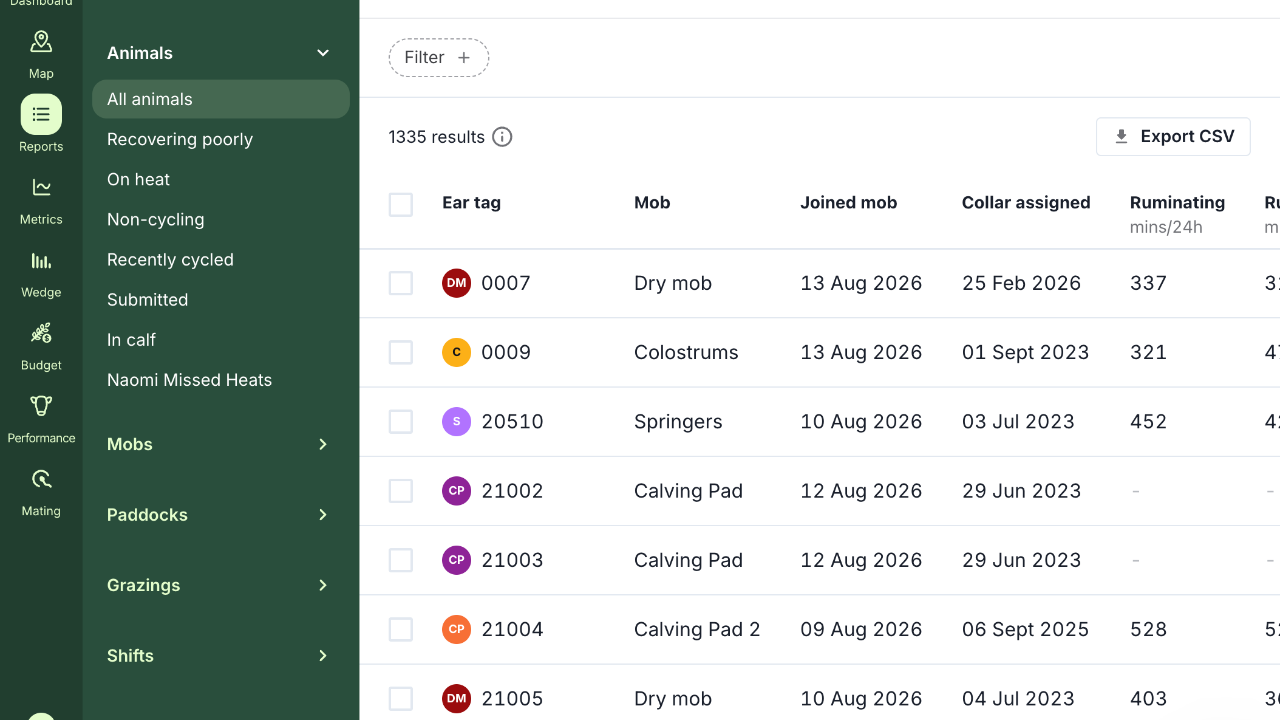
milker draft
Knowby created from browser extension capture session at 14/08/2026, 14:01:30
Knowby created from browser extension capture session at 14/08/2026, 14:01:30

2
Step 2 of 18
Click "Filter".
3
Step 3 of 18
Click "Ear tag".
4
Step 4 of 18
Click "Mob".
5
Step 5 of 18
Click "Ruminating (mins/24h)". Careful: "Ruminating 7 day average (mins/24h)" sits directly below it in the list — check the chip that appears reads "Ruminating (mins/24h)" before moving on.
6
Step 6 of 18
Click "Days since calving".
7
Step 7 of 18
Click "Mob".
8
Step 8 of 18
Click "Colostrums".
9
Step 9 of 18
Click "Ruminating (mins/24h)".
10
Step 10 of 18
Click "Min".
11
Step 11 of 18
Enter: "350"
12
Step 12 of 18
Click "Days since calving".
13
Step 13 of 18
Click "Min".
14
Step 14 of 18
Enter: "5"
15
Step 15 of 18create your own csv file from this data
16
Step 16 of 18
Open a new Gmail message using the full-window compose URL: https://mail.google.com/mail/u/0/?view=cm&fs=1&tf=1 — the normal Compose button renders the window off-screen at this Chrome zoom. Send to tasdairysystems@gmail.com. Subject: "Milker draft - <today's date>". In the body, state the filter used, then list each cow's ear tag with days since calving and ruminating mins/24h. If no cows match, say so and still send.
17
Step 17 of 18
Attach the file you created
18
Step 18 of 18
Click "Send".
Don't ask for permission