
Revoke a knowby from approval
Sent a knowby for approval and spotted a mistake, or need to add something? Revoke it to pull it back from the approver - it returns to your drafts so you can edit it and submit it again.
Sent a knowby for approval and spotted a mistake, or need to add something? Revoke it to pull it back from the approver - it returns to your drafts so you can edit it and submit it again.
1
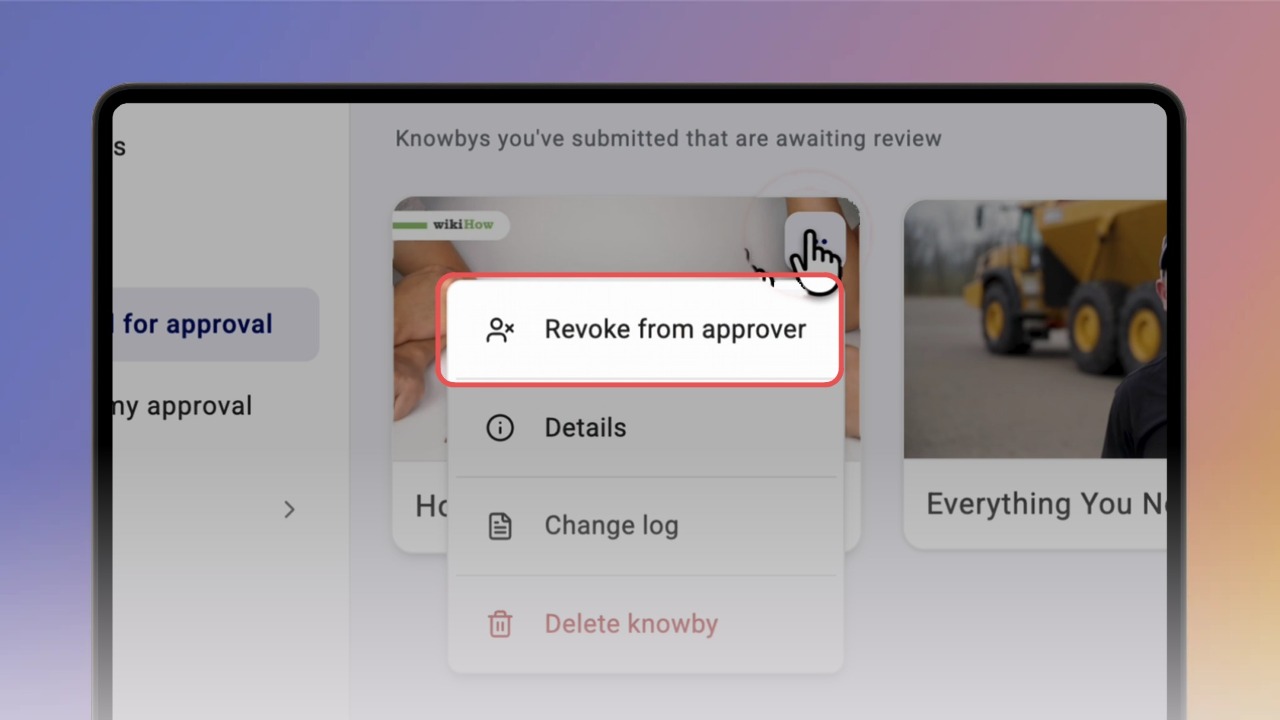
Step 1 of 2Go to Submitted for approval in the left menu. Open the ⋯ menu on the knowby card and click Revoke from approver.
Tip: you can only revoke while the knowby is still waiting for approval — once the approver has approved it or requested changes, revoking is no longer available.
2
Step 2 of 2In the Revoke knowby? dialog click Revoke. You'll see "Knowby successfully revoked from approver" and the knowby moves back to My drafts. Make your edits, then submit it for approval again.
Tip: the approver no longer sees it in Awaiting my approval. Admins are the exception — they can still see it.