Knowby Sculptform
Knowby
BOQ Meeting - Projects over $40k
Every project over $40k is required to have a BOQ meeting with the PC (Project Consultant) assigned to the project & the estimator who completed the BOQ & marked-up plans. If the project is over $50k then you will be required to add Trevor Perryman into the meeting invite.
1
Step 1 of 7

Start the BOQ Meeting with the customer, estimator & Trevor (if over $50k).

2
Step 2 of 7

Introduce the customer & make them aware of what each attendees role is on the meeting. Estimator - Completed the marked-up plans & BOQ. Trevor - Production - Will be able to provide us with accurate lead-times & make sure the delivery side is covered.

3
Step 3 of 7

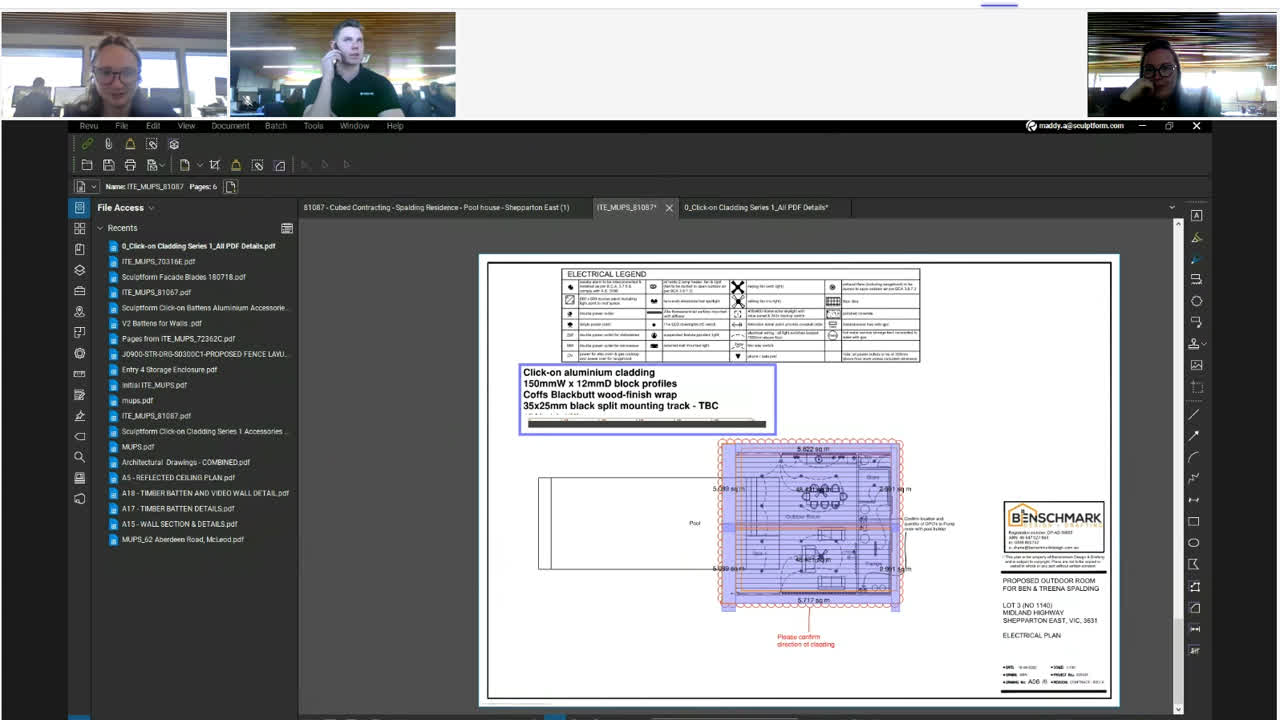
Estimator will share their screen & go through the marked-up plans first & then each item on the BOQ. Please note if your BOQ meeting is via Zoom you will need to give them access as shown above to be able to share.

4
Step 4 of 7
<p>BOQ Meeting Checklist: This can be found on the project card. To create a new BOQ checklist, go to the Related List Quick Links section &amp; hover over BOQ Meeting Checlists &amp; select 'NEW'.</p>

BOQ Meeting Checklist: This can be found on the project card. To create a new BOQ checklist, go to the Related List Quick Links section & hover over BOQ Meeting Checlists & select 'NEW'.

5
Step 5 of 7
<p>Filling in the BOQ Checklist - Information Section
This section is relating to the Estimate, Sample for approval, Customer &amp; any general comments.</p>

Filling in the BOQ Checklist - Information Section This section is relating to the Estimate, Sample for approval, Customer & any general comments.

6
Step 6 of 7
<p>BOQ Checklist - Product Checklist Section.This section is relating to the project scope for Sculptform &amp; Product we are supplying. We need to go through each item that relates to your project. Some projects may not require all items, eg. Acoustic Backing for external applications</p>

BOQ Checklist - Product Checklist Section.This section is relating to the project scope for Sculptform & Product we are supplying. We need to go through each item that relates to your project. Some projects may not require all items, eg. Acoustic Backing for external applications

7
Step 7 of 7
<p>BOQ Checklist - Delivery &amp; Payment Information
Once all this information is filled out make sure you 'Save'.
Ensure that both delivery and account contact fields are correct and have all the relevant details i.e Mobile number and email.</p>

BOQ Checklist - Delivery & Payment Information Once all this information is filled out make sure you 'Save'. Ensure that both delivery and account contact fields are correct and have all the relevant details i.e Mobile number and email.