
Creating an Internal Project for Chemical Treatment Work
This is an instructional guide on how to create an internal project for chemical treatment work to be done either in the laboratory or to manage a request from a customer.
This is an instructional guide on how to create an internal project for chemical treatment work to be done either in the laboratory or to manage a request from a customer.
1
Step 1 of 14
Navigate to NetSuite in your browser window. New page if you want.
2
Step 2 of 14
Enter: "New internal project" in the search field
3
Step 3 of 14
Click "Internal Project > New" to open a new card.
4
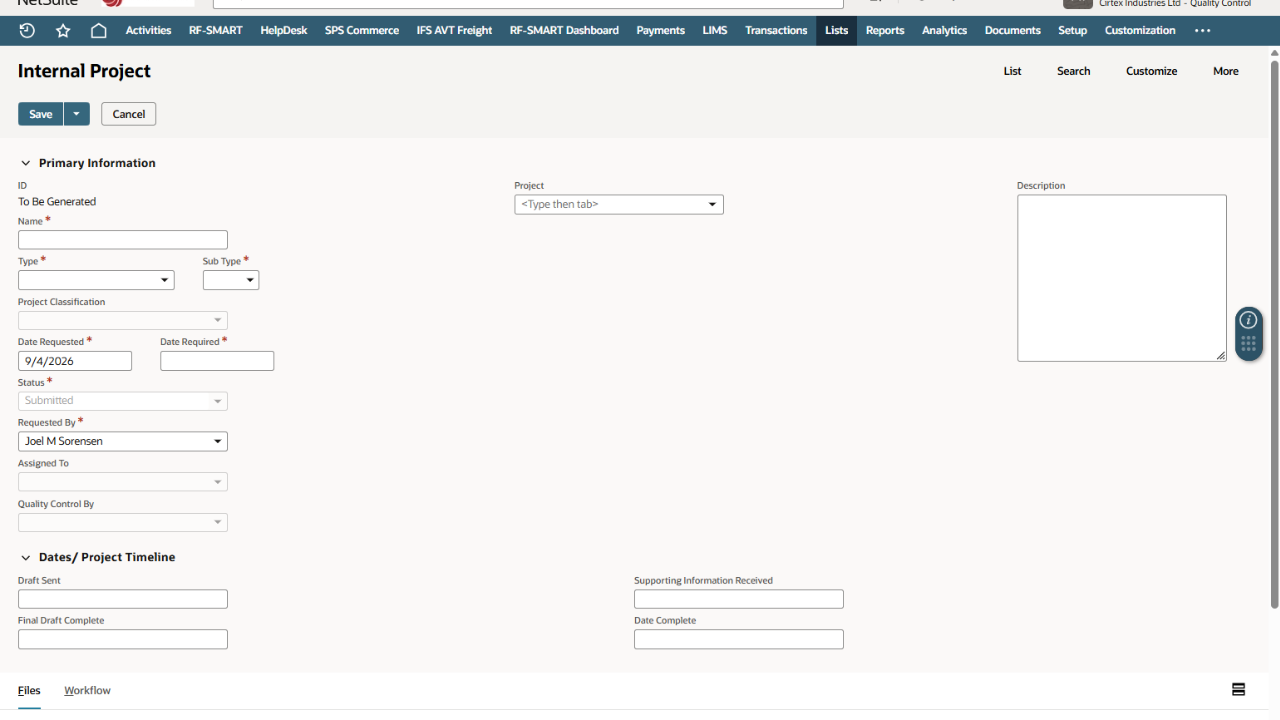
Step 4 of 14![<p>add the name of the project example: "Water clarity test - [example site]"</p>](https://knowby.show/media/774550f7-0e6e-4b74-88d2-01226ba7eeb0/knowbys/2872d8e0-1444-4581-8cc3-9402742e63a8/steps/17ee987e-482c-4f03-b019-d3b33860fd8c/e7bab623-ebc2-4a3b-aa40-2197b24d80b2-web.jpg)
add the name of the project example: "Water clarity test - [example site]"
5
Step 5 of 14
Click "Quality" in the Type list
6
Step 6 of 14
Click "Chemical Treatment & Water Quality" in the subtype field.
7
Step 7 of 14
Add date requested
8
Step 8 of 14
Add date required
9
Step 9 of 14
add the person requesting the job
10
Step 10 of 14
Add a Sales Order for the job. $0 if it isn't being charged.
11
Step 11 of 14
List the site address.
12
Step 12 of 14
Add detail on what the job is about and notes on any information we have.
It should have enough info that anyone in the team can pick it up and work on it if needed.
Keep notes of actions required.
13
Step 13 of 14
Add supporting documentation as required. Examples could be council consent documents and ESCP plans with catchments etc listed.
14
Step 14 of 14
Click save to close the record