
Request a project purchase order
Project Purchase Order Requests are completed through Smartsheet
Project Purchase Order Requests are completed through Smartsheet
1
Step 1 of 7To request a purchase order for a project, you need to open the Project Item Procurement Request form in Smartsheet. (link at end of video)
2
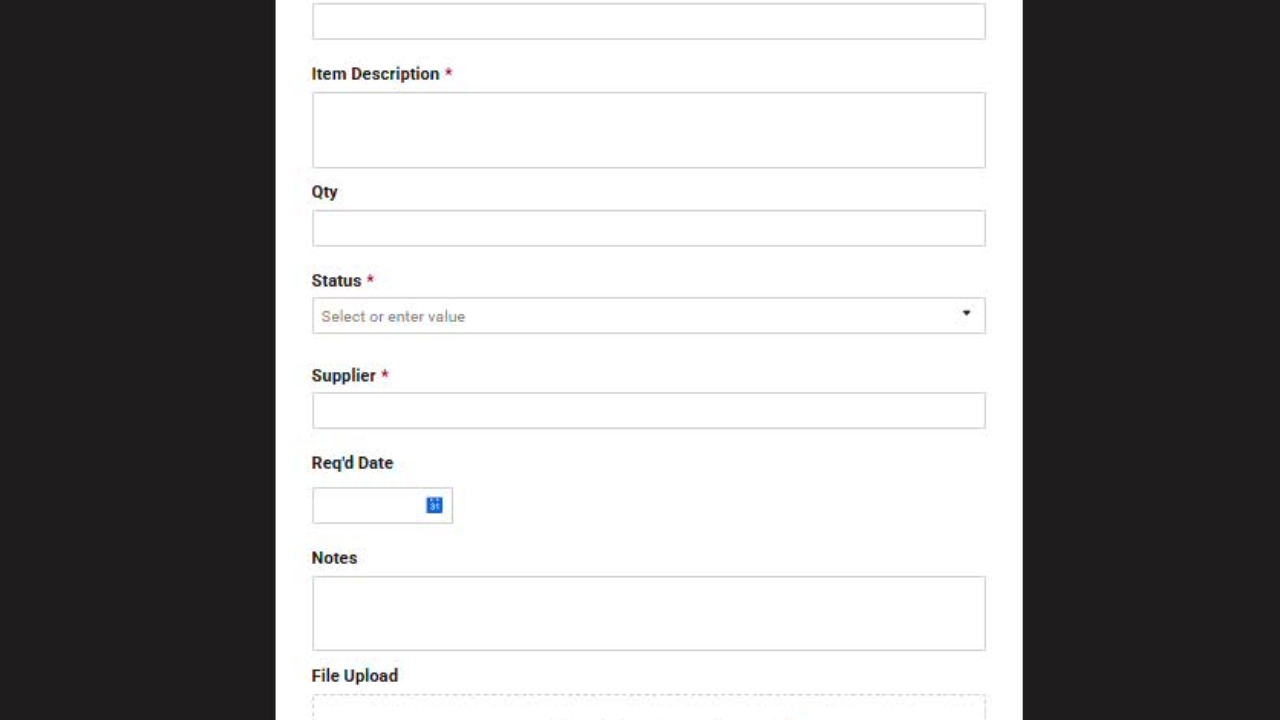
Step 2 of 7You then just need to fill out the form, entering the project number followed by the project name.
3
Step 3 of 7For the item description, enter a high level item description.
4
Step 4 of 7Enter the quantity if required.
Select the status as confirmed if it's ready to be ordered, and enter the Supplier's name.
5
Step 5 of 7If you have a specific required by date, you can enter it there, and any additional notes.
6
Step 6 of 7You then upload your quote, and select submit.
7
Step 7 of 7