

Payroll Accruals, AL & LSL, Workcover & Payroll Tax Journal Location - Sculptform\Finance - Documents\General\Finance\Sculptform AU Pty Ltd\EOM Process - Monthly\2024-2025
Create a new folder each month (E.g. September 2024)
Copy & paste August’s excel sheet & rename it to SEP 2025
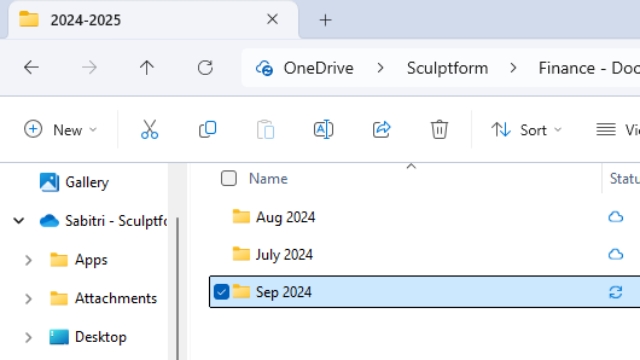
Payroll Accruals, AL & LSL, Workcover & Payroll Tax Journal Location - Sculptform\Finance - Documents\General\Finance\Sculptform AU Pty Ltd\EOM Process - Monthly\2024-2025

Create a new folder e.g September 2024
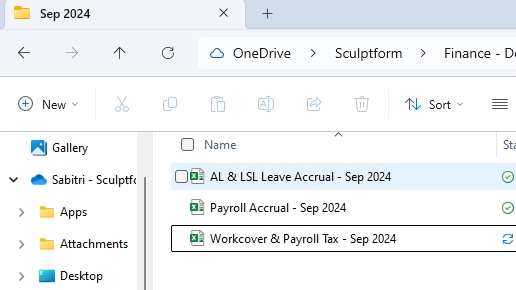
Copy & paste August’s excel sheet & rename it to SEP 2025
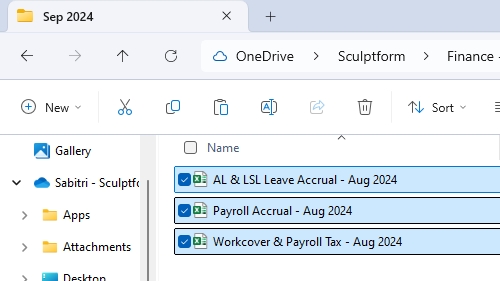
We do Payroll Journal first
Then AL & ASL Calculation – Sabi will do calculations AL & LSL Journal after Sabi sent the calculations.
Workover & Payroll tax calculation & journal next.
Payroll Journal
Note- If we process this month’s pay (Sep) next month (Oct) then we must create an accrual journal to include this month’s expenses which will be paid next month.
Payroll Journal
Note- If we process this month’s pay (Sep) next month (Oct) then we must create an accrual journal to include this month’s expenses which will be paid next month.
Always bear mind adjust the accrue expenses for actual month.
Example:
For example, we will pay the last 2 weeks’ pay on Oct 9, 2024, which include 6 days of Sep. In this case we must create payroll accruals journal for 6 days (23 to 30 Sep) in 30/09/2024 and Credit journal on 1/10/2024.
Open the copied payroll Journal excel spreadsheet
Copy & paste last payroll figure on Data and update the figure on payroll Journal

Update the Days Update the figure Update the formula = ROUND(D6*5,2) to ROUND(D5*6,2) 6 days

-Go to Account -Click Record Journal entry

-Use recurring Journal

-Update the figure - Update Memo -Update date

Save this journal save as a recurring so that we can use that to create a credit Journal on 1/10/2024 to minus the expenses of Sep in Oct.

Use that recurring journal put Minus (-) in that figure on 1/10/2024

Use that recurring journal put Minus (-) in that figure on 1/10/2024

Delete the credit journal - Recurring

Delete the credit journal - Recurring

Then AL & ASL Calculation - Sabi Go to report Export P & L & paste to AL & LSL ( P&L Side) Excel sheet Email to Ken saying you have done EOM payroll journal

When he said he done the AL & LSL then you can do a journal Go to Account -Click Record Journal entry -Use recurring Journal - Change Memo & date - change figure as per excel sheet Note if there is a slight difference change the debit side at Production AL&LSL

Workcover & Payroll tax Accrual Journal When you done AL & LSL Go to report Export P & L & paste to Workcover & Payroll tax Sep Excel sheet

Change total payroll tax figure to paid figure(from Ken’s email) At the bottom of the line then it will automatically populate or compute on the account for journal.

Workcover figure will remain same every month

For Journal Go to Account -Click Record Journal entry -Use recurring Journal - Change Memo & date - change figure as per excel sheet Workcover Journal

Payroll Tax Journal