
Knowby
How to approve a production ticket.
How to check and approve a production ticket.
1
Step 1 of 14
<p>Auto posting tickets will be held in the holder behind the door in the planning board room near the trolley.</p>

Auto posting tickets will be held in the holder behind the door in the planning board room near the trolley.

2
Step 2 of 14
<p>If the ticket comes from an auto-posting line, the ticket can go straight into the completed box.</p>

If the ticket comes from an auto-posting line, the ticket can go straight into the completed box.

3
Step 3 of 14
<p>Non-auto-posting tickets will be left on Billi's desk.</p><p>Non-auto-posting tickets will need to be checked and then approved.</p>

Non-auto-posting tickets will be left on Billi's desk.

Non-auto-posting tickets will need to be checked and then approved.

4
Step 4 of 14
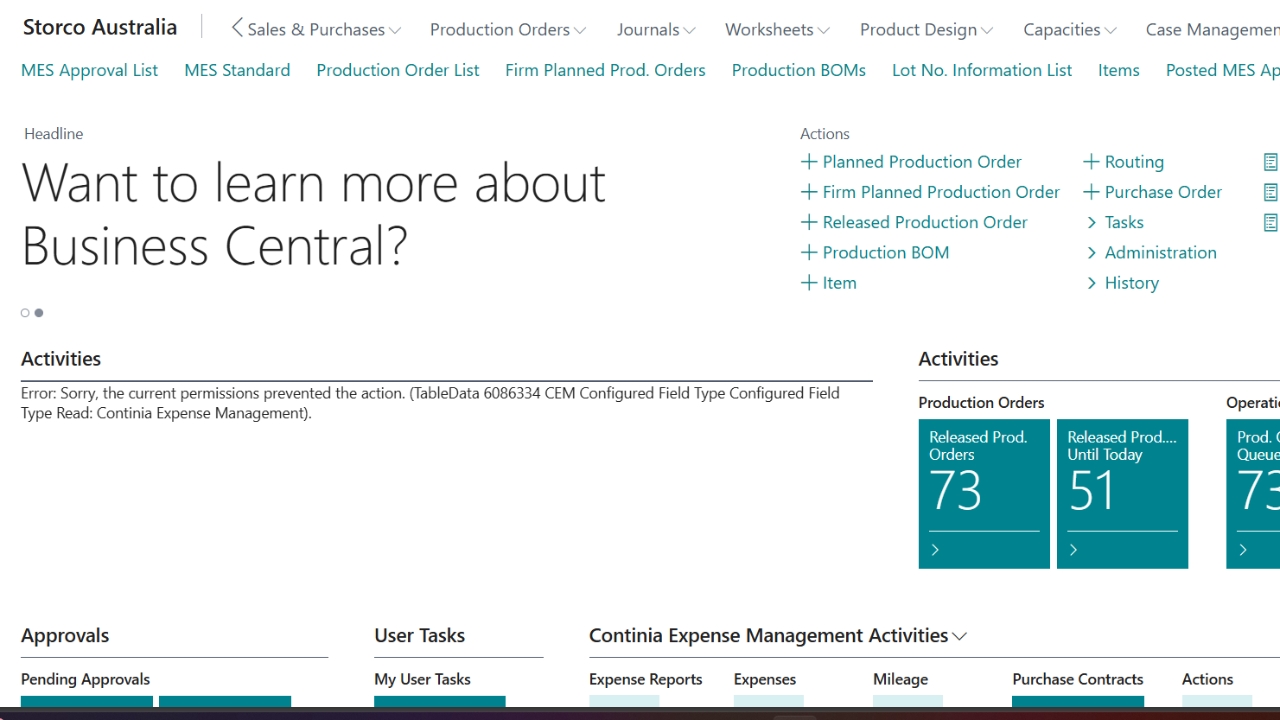
<p>To check/approve a tickets.</p><p>Click on MES Approval List.</p>

To check/approve a tickets.

Click on MES Approval List.

5
Step 5 of 14
<p>Find your production order and what line it is.</p><p>Check if it says completed or in progress.</p>

Find your production order and what line it is.

Check if it says completed or in progress.

6
Step 6 of 14
<p>To make it easier, click the magnifying glass and type in your production number.</p>

To make it easier, click the magnifying glass and type in your production number.

7
Step 7 of 14
<p>Once in the production order.</p><p>If it's a job that requires coil, check to see if there is a lot number.</p>

Once in the production order.

If it's a job that requires coil, check to see if there is a lot number.

8
Step 8 of 14
<p>Check if the output is correct.</p>

Check if the output is correct.

9
Step 9 of 14
<p>Make sure there is time to the job, and make sure it is a roughly correct time.</p>

Make sure there is time to the job, and make sure it is a roughly correct time.

10
Step 10 of 14
<p>If everything is correct, then click approve.</p>

If everything is correct, then click approve.

11
Step 11 of 14

If there is stuff missing e.g. coil number, you will need to go through to MES Standard. See link on how to add the missing items. How to start a job in Business Central.

12
Step 12 of 14
<p>If everything is correct but the job hasn't been completed, you dont have to go through the MES standard process.</p>

If everything is correct but the job hasn't been completed, you dont have to go through the MES standard process.

13
Step 13 of 14
<p>Click on actions.</p>

Click on actions.

14
Step 14 of 14
<p>Click complete. Then click approve.</p>

Click complete. Then click approve.