
Complete required steps
Some knowbys have required fields. If you see "Almost there!" when you click Complete, here's how to finish.
Some knowbys have required fields. If you see "Almost there!" when you click Complete, here's how to finish.
1
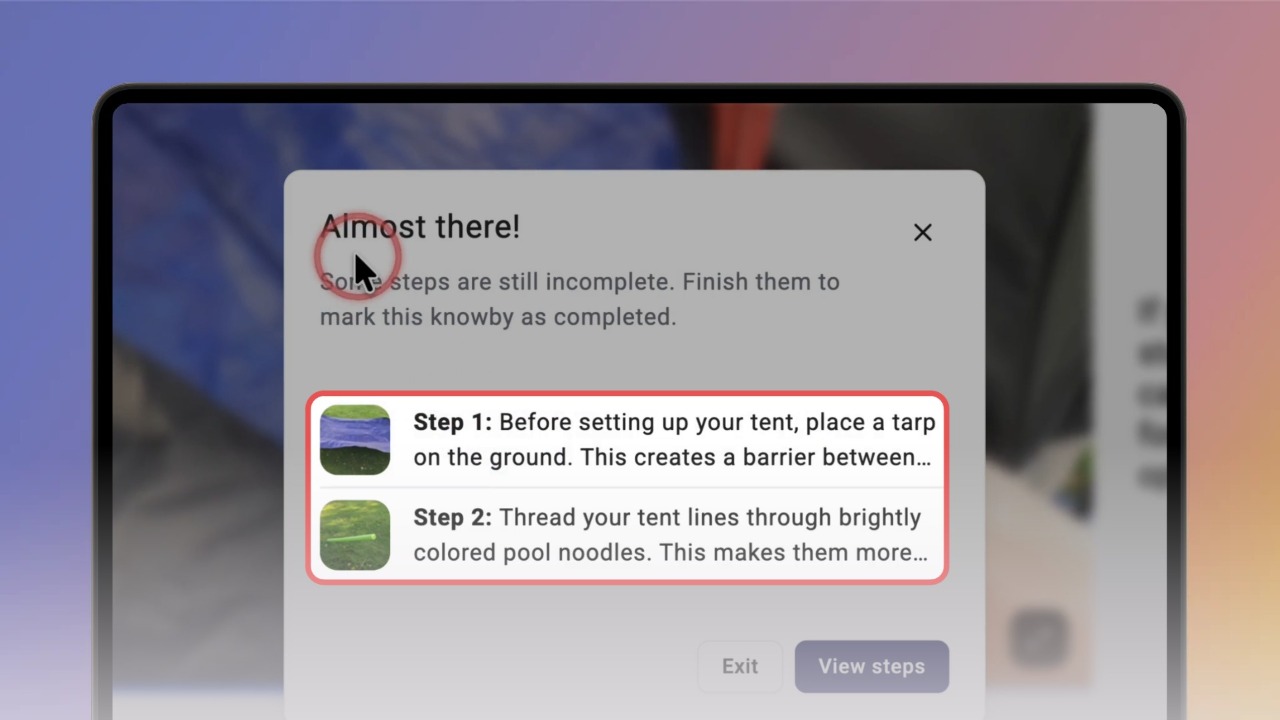
Step 1 of 3If some steps aren't finished, clicking Complete opens Almost there! with a list of those steps. They're also marked red in the step list.
Click a step to jump to it.
2
Step 2 of 3Fill in the fields marked with an asterisk (*).
Your answers save automatically.
3
Step 3 of 3Go to the last step, click Complete, rate the knowby if you like and click Mark as Complete.